目錄
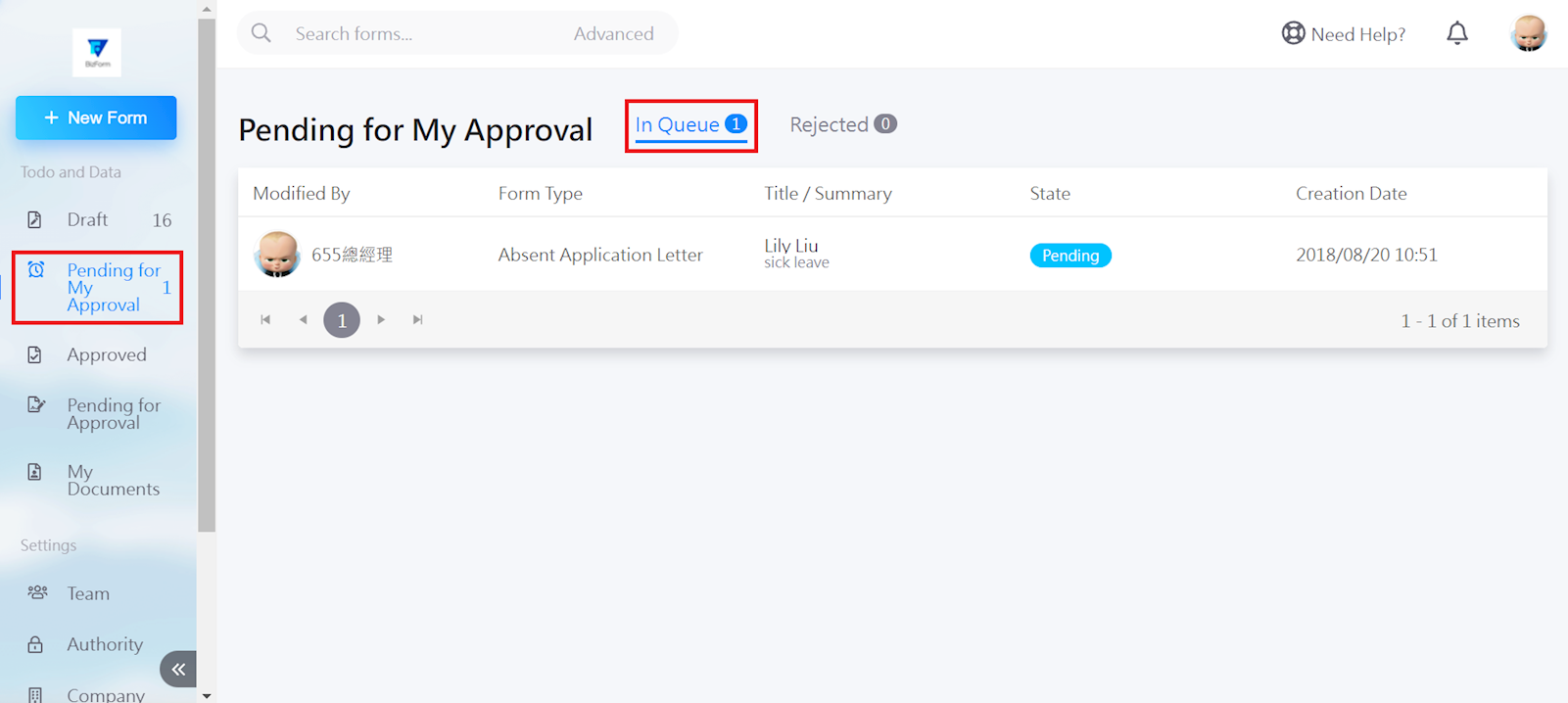
Go to [Pending for my approval] and select the [In Queue] tab. The number on the right shows the number of documents waiting for approval.
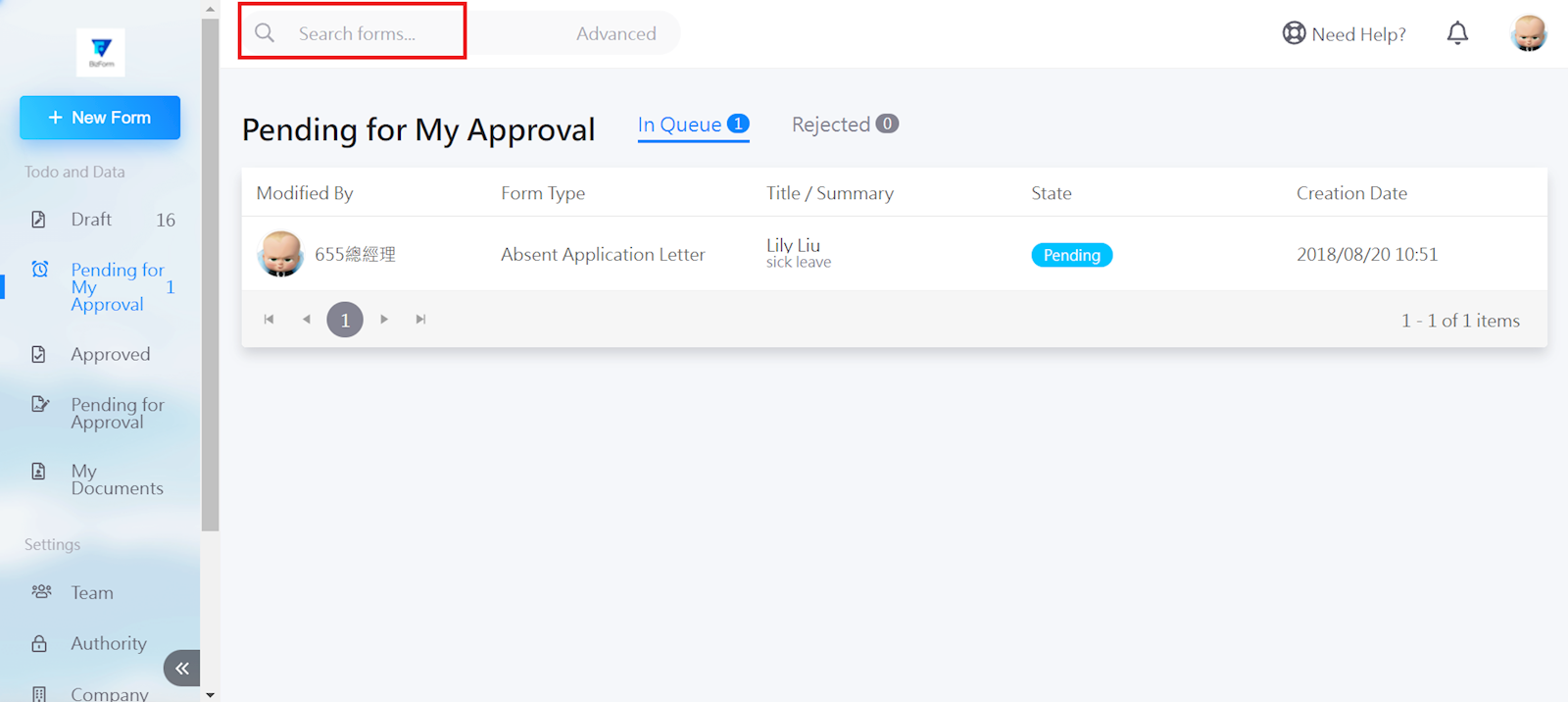
You can also search for forms by using the search box.
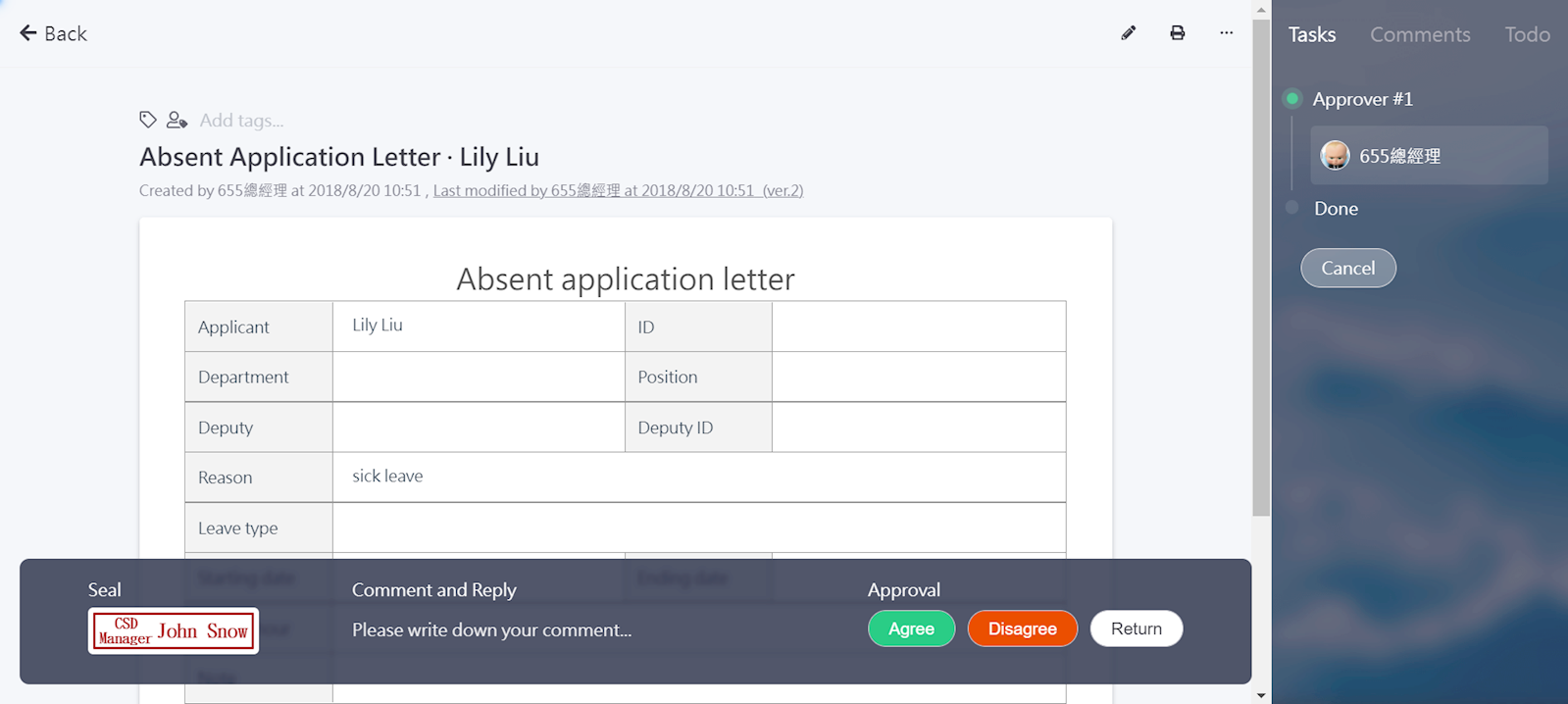
Click on the form to enter your comment or reply (optional). Then, select Agree, Disagree, or Return. Once finished, the approval process is also done. The task bar to the right shows the workflow, of which you can only cancel (cannot modify or delete form).
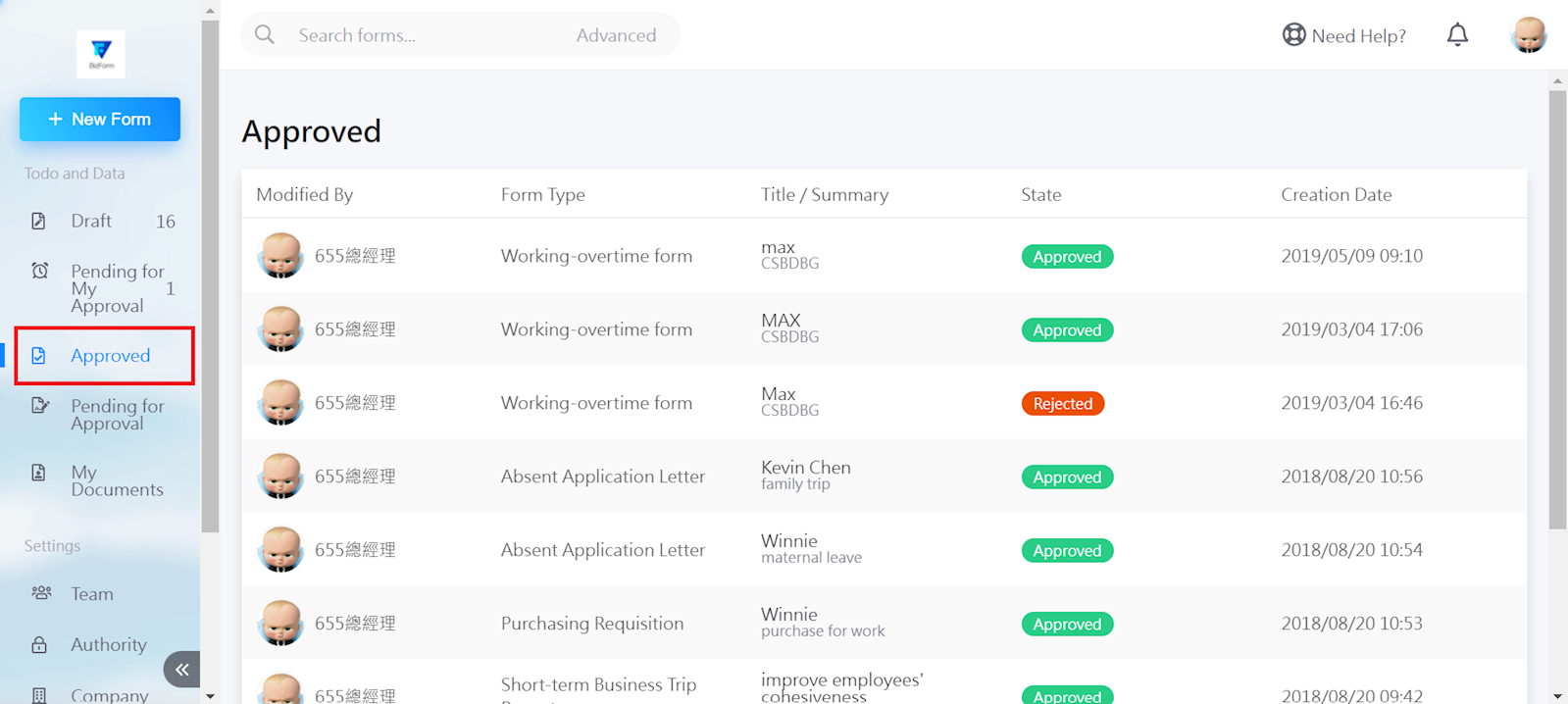
Return to the [Approved] section on the homepage to view the documents that you have approved.
來源連結:
https://support.vitalyun.com/en/vital-bizform/faq?catid=28&id=5436%3Ahow-do-i-approve-documents&view=article
More Content
2025 December
Account Notification Setting
2024 August