目錄

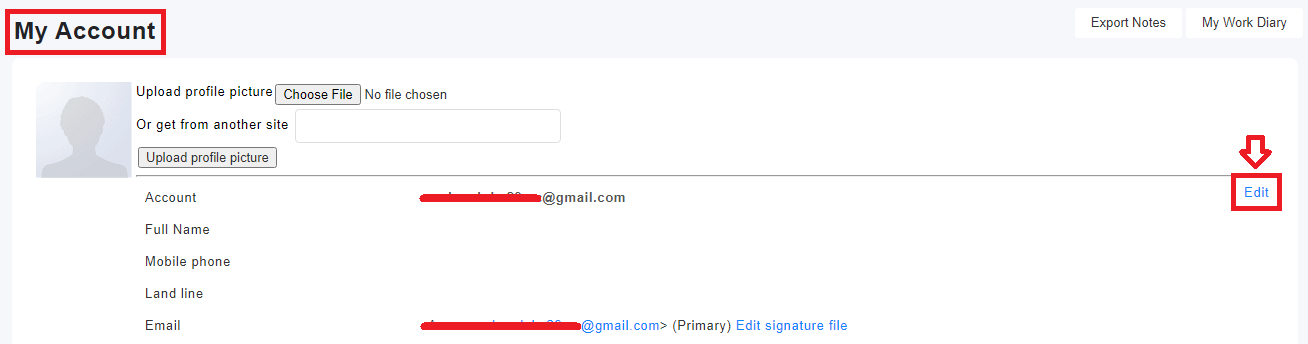
1. Click on your profile, go to [My Account] and click [edit]
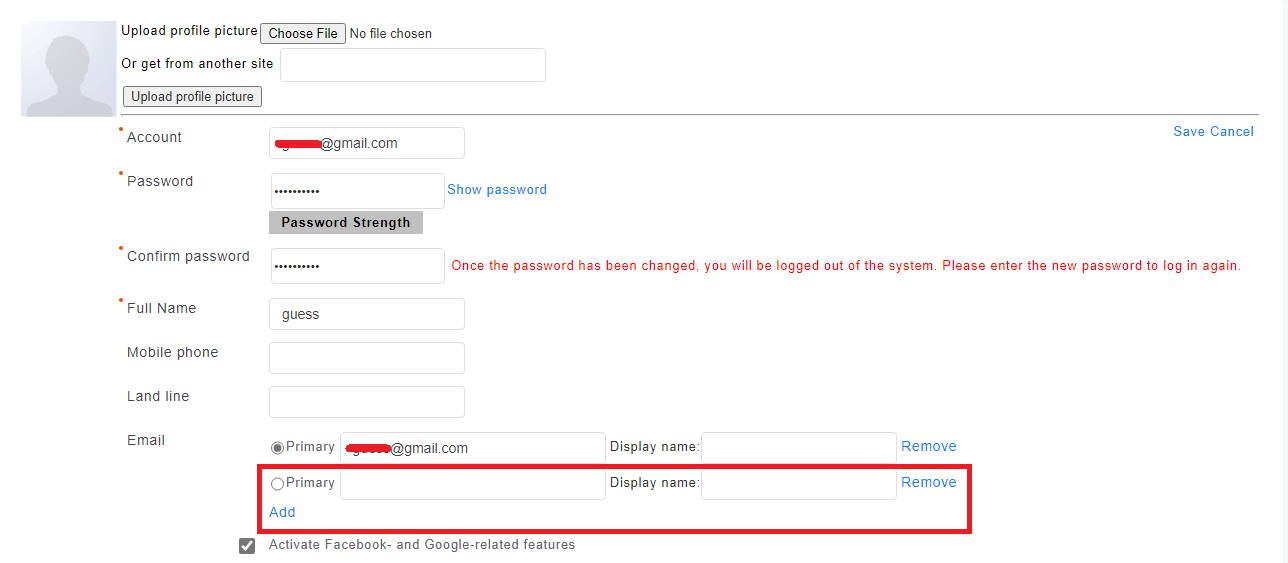
2. Click [Add] in the email field; enter the email address; click [save]
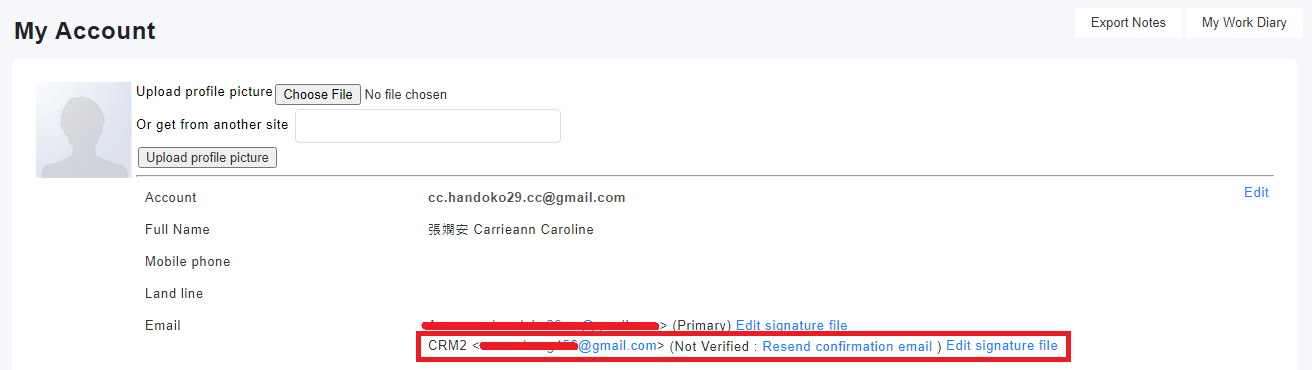
3. After saving, system will send a verification link to the email you've just added.
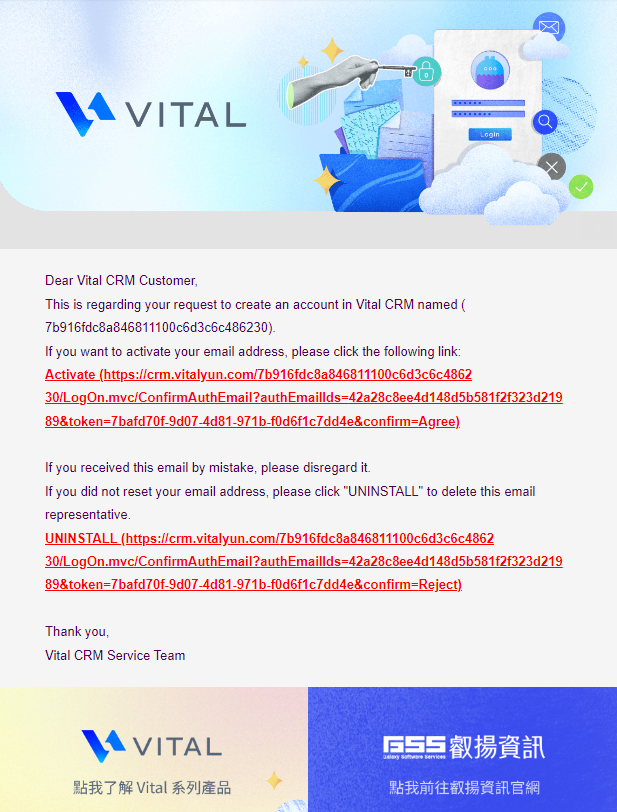
4. Open the verification email and click on the link to verify.
* Check your Spam Mails if you did not receive the verification email.
5. Go to [Email] tab, click on [Add], and choose the email from drop-down menu

來源連結:
https://support.vitalyun.com/en/?catid=28&id=4818%3Ahow-do-i-add-a-new-email&view=article
More Content
2024 August
How to change the System Representative email account?
2024 August