目錄
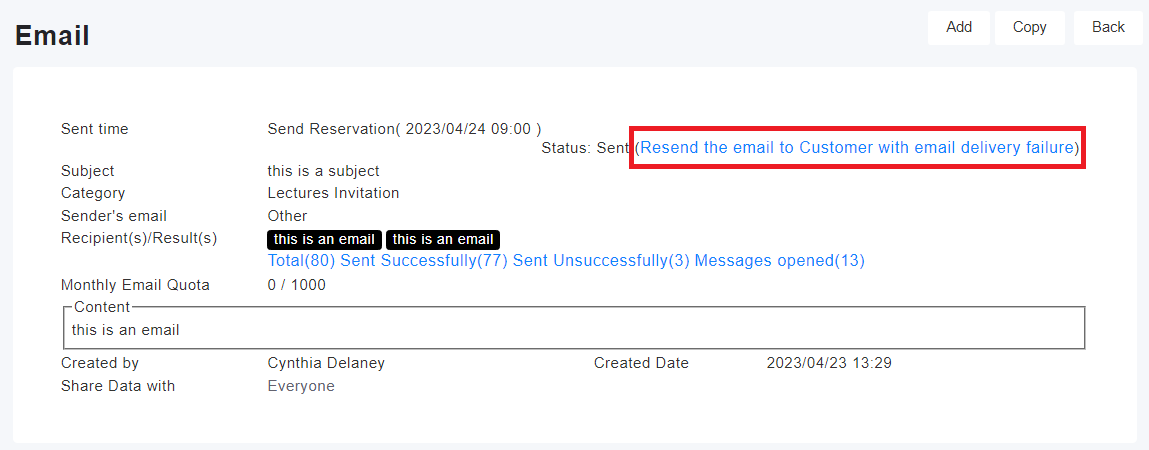
You can go to the email page and click on the "Resend the email to Customer with email delivery failure" option in the upper right corner.
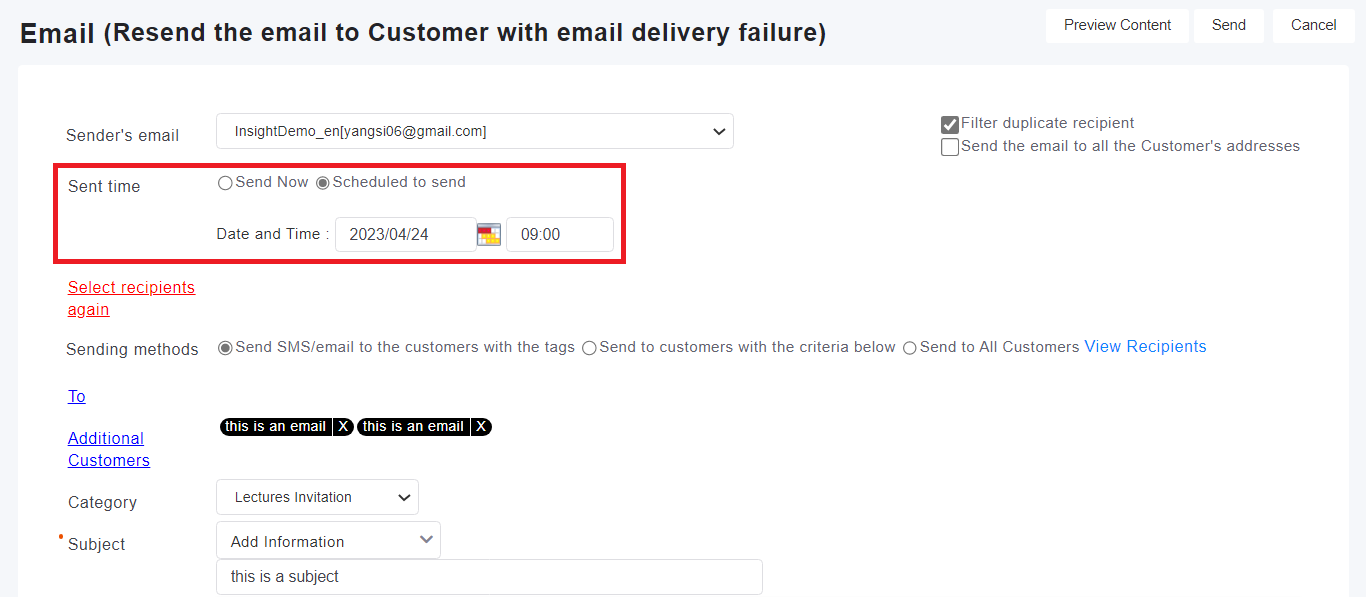
Next, you will be taken to the editing page for resending the email. Please only set the sending time. Once the time is set, click the "Send" button in the upper right corner. The system will automatically filter out the previously failed recipients from the recipient list and send the email only to them.
來源連結:
https://support.vitalyun.com/en/?catid=28&id=4903%3Ahow-to-resend-emails-to-failed-recipients&view=article
More Content
2024 August
How to change the System Representative email account?
2024 August