目錄
To cancel imported customer data, you need to manually delete it after the download is complete. You can use the "created time" filter to search for the uploaded data and delete it manually.
On a single page, check the customer data you want to delete and click the "delete" button above the list.
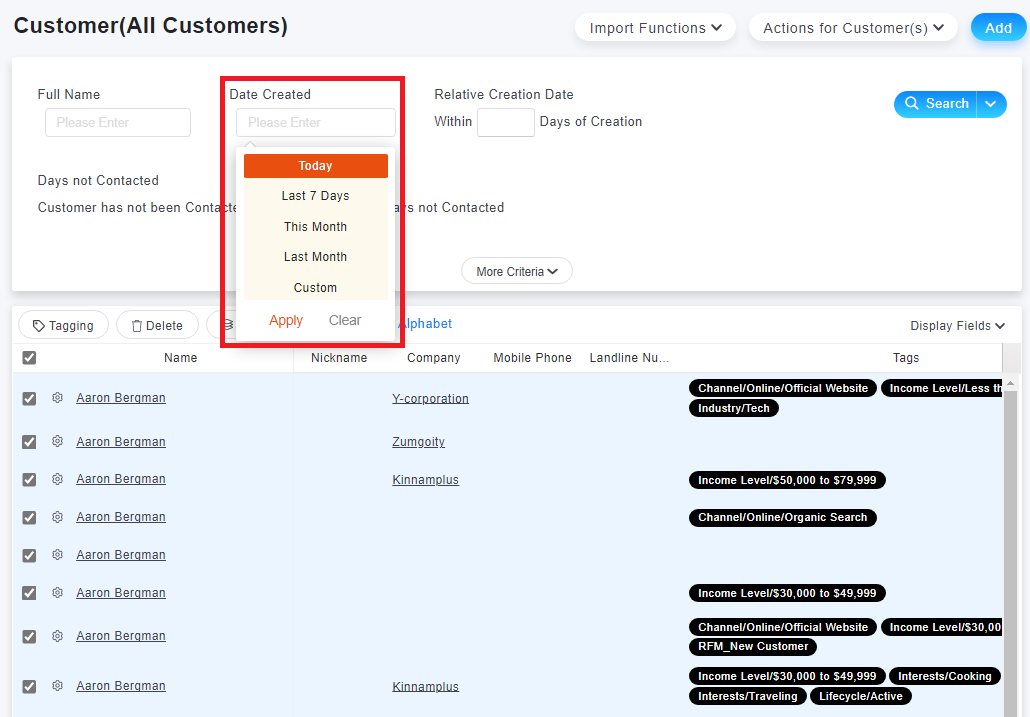
If the customer data that meets the search criteria you need to delete, exceeds two pages, you can email the customer service mailbox to apply for permission to delete in bulk. The following is the customer service mailbox information:
[Customer Service Email:
來源連結:
https://support.vitalyun.com/en/?catid=28&id=5071%3Ahow-can-i-cancel-customer-import&view=article
More Content
2024 August
How to change the System Representative email account?
2024 August