目錄
There are two ways to add a company record:
From Home Page
Select "Company Notes" type on the note section, then select the company and enter the content of the note. 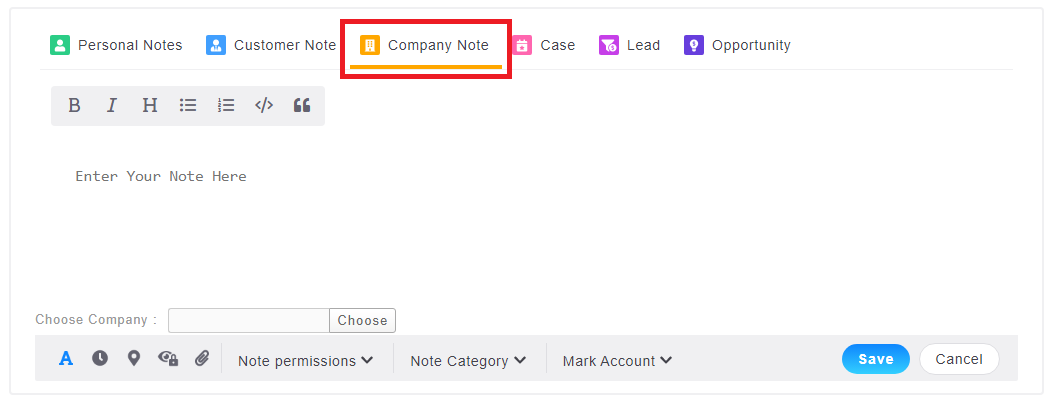
Click "Choose" to select the company and you can find the corresponding company by recent browsing history, tags, or company name. 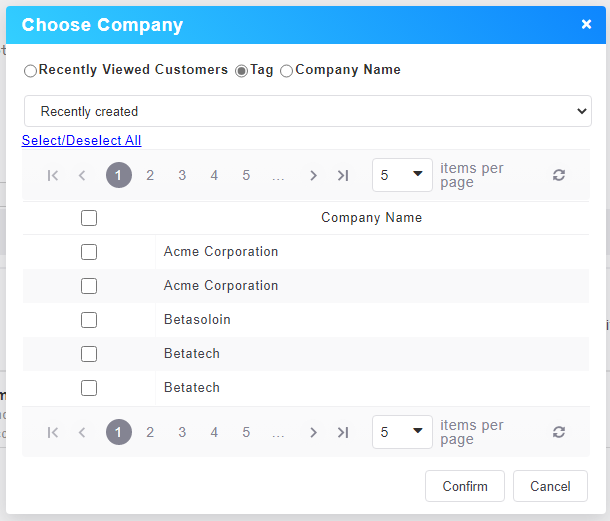
From Company Profile Page
In the notes tab of the company div page, a new set of buttons is added to switch between company notes and employee notes. 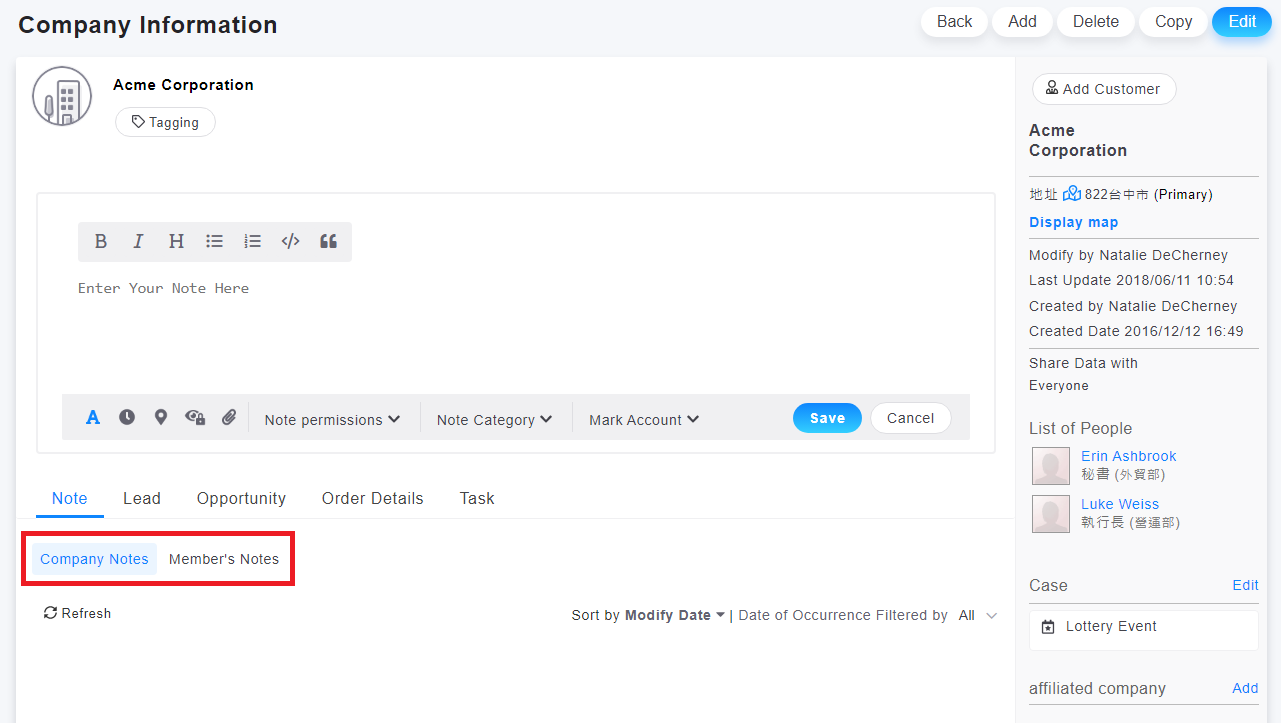
In the customer information tab, a new page of "Company Notes" is added, and you can view the notes of the company to which the customer belongs 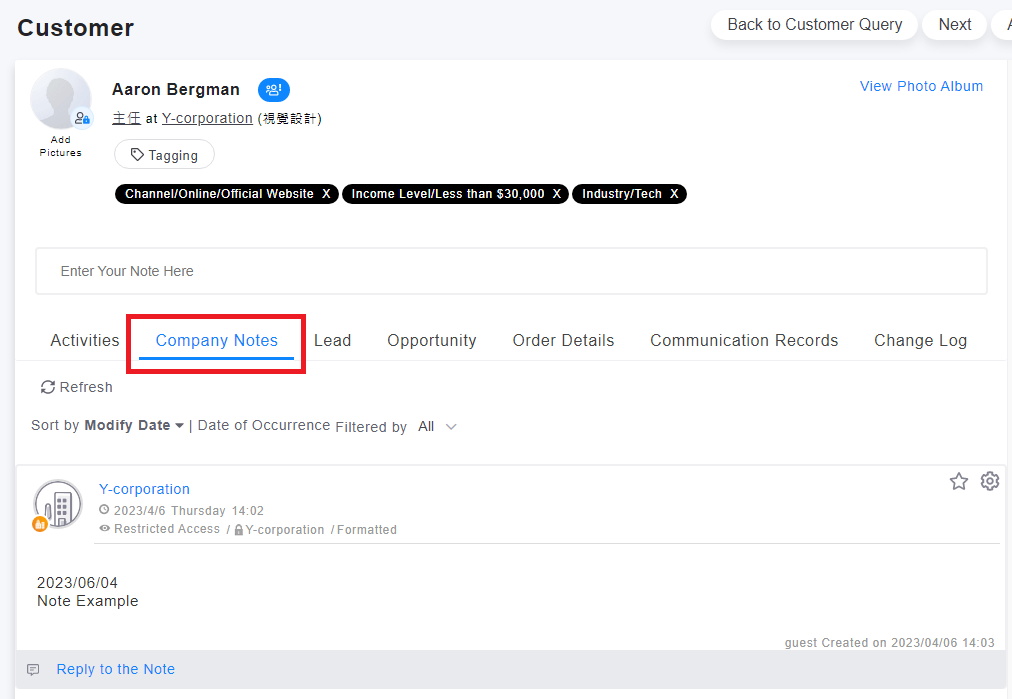
來源連結:
https://vital-faq.azurewebsites.net/CRM/4253
https://support.vitalyun.com/en/?catid=28&id=5099%3Ahow-can-i-add-a-company-note&view=article
There are two ways to add a company record: From Home Page and From Company Profile Page. (refer to FAQ)
More Content
2024 August
How to change the System Representative email account?
2024 August