目錄
1. In the Company tab, open [More Criteria]
2. In the "Extended Fields" section, choose the filtering criteria, and then click "Search".
(1) Click on the "Add" button in the "Extended Fields" section to reveal a dropdown menu. Select the field name(s) you want to search for (multiple selections are allowed).

(2) Enter the search criteria in the field name(s).

(3) Click the "Search" button in the upper-right corner.
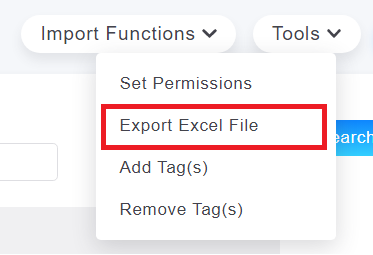
3. If you need to export the data, select "Export Excel File" under the "Tools" menu at the top-right corner.
來源連結:
https://support.vitalyun.com/en/?catid=28&id=5161%3Ahow-to-search-for-companies-using-extended-attributes&view=article
More Content
2024 August
How to change the System Representative email account?
2024 August