目錄
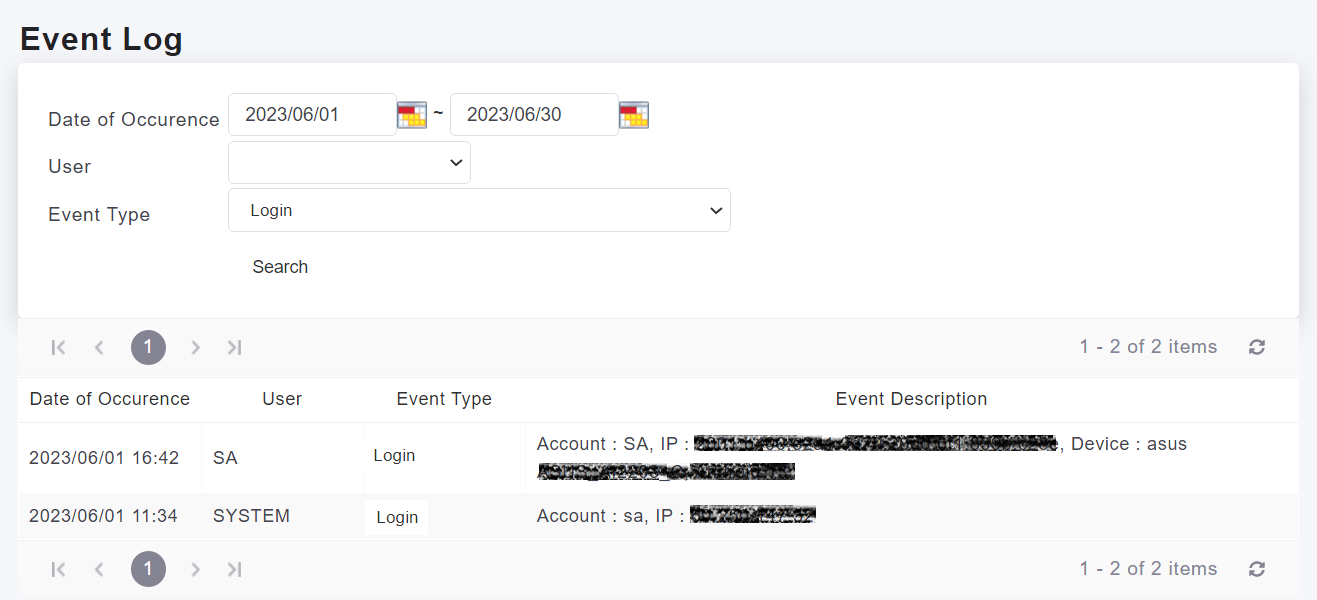
To check account login records, you can click on [Settings > System > Event Log].
In the Event Log, select the event type as "Login", and click on the search button. You will be able to see the operator, the logged-in account, and the IP location.
來源連結:
https://support.vitalyun.com/en/?catid=28&id=5222%3Ahow-to-check-account-login-records&view=article
More Content
2024 August
How to change the System Representative email account?
2024 August