目錄
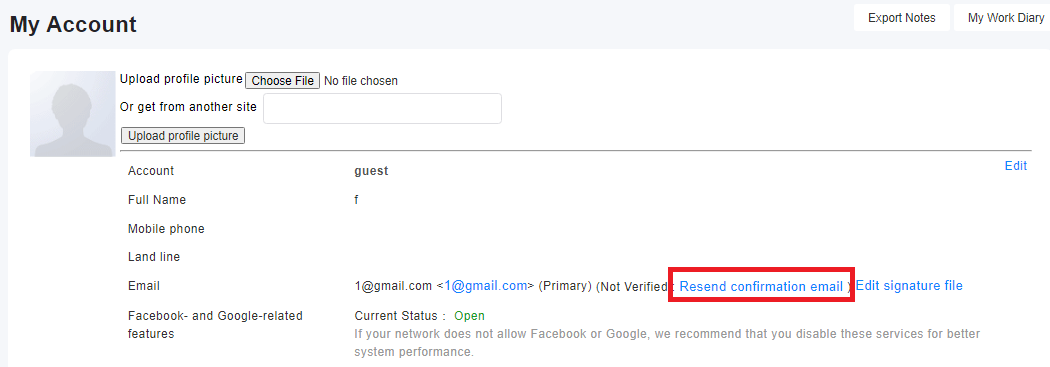
After adding or modifying an email address in [My Account], the system will send a verification letter to the email address. You can go to the mailbox to receive and verify it. If you have not received the verification letter, you can go back to [My Account] and click the "Resend Verification Letter" button. If you do not see the "Resend Verification Letter" button, it means that you have completed the verification.
來源連結:
https://support.vitalyun.com/en/?catid=28&id=5233%3Awhy-cant-i-find-the-re-verify-button-after-adding-or-editing-an-email&view=article
More Content
2024 August
How to change the System Representative email account?
2024 August