目錄
*Note: If note permissions such as the ability to view specific notes but no access to related customer information, the exported customer data will only display the customer name, without other information.
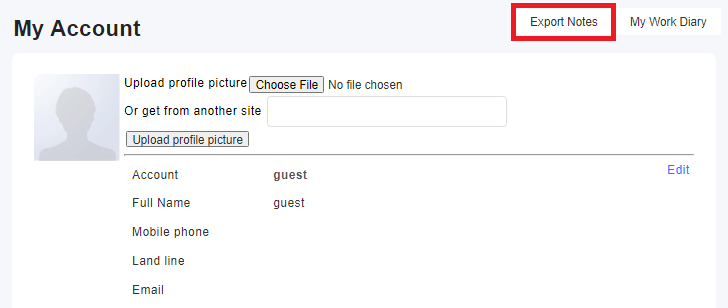
1. Users can click on the "Export Notes" button in their personal area.
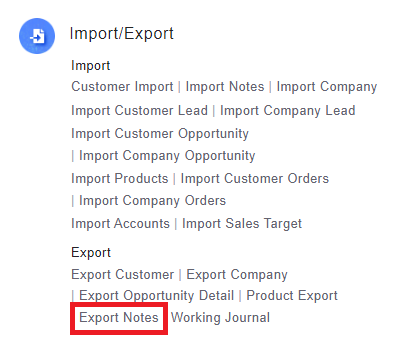
2. System administrators can access this function in [Settings > Export > Export Notes].
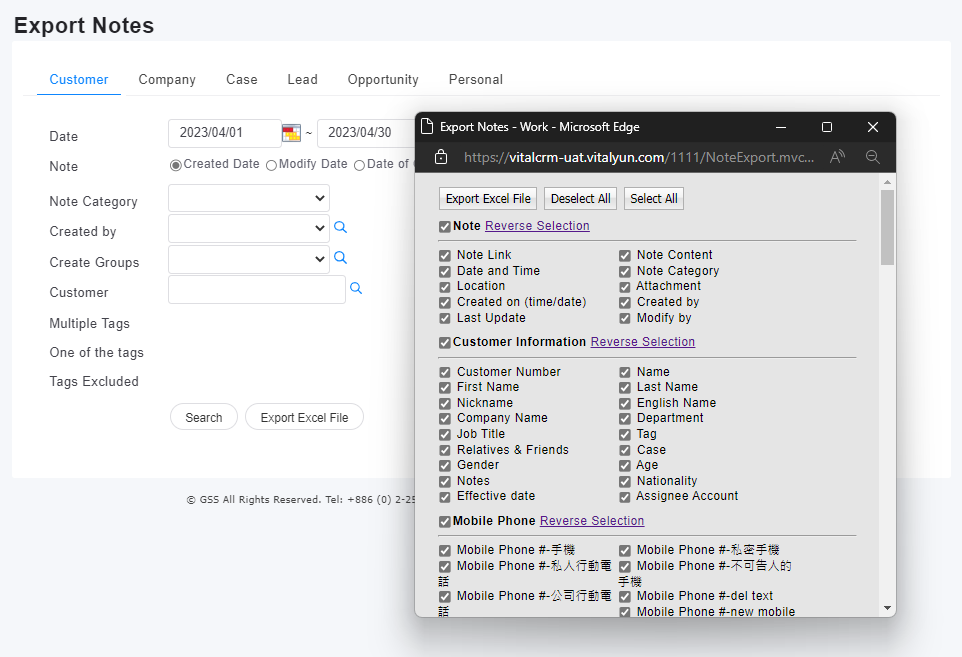
3. Select the note type (customer/company/opportunity/event/personal), enter the search criteria, and select the desired fields for export.
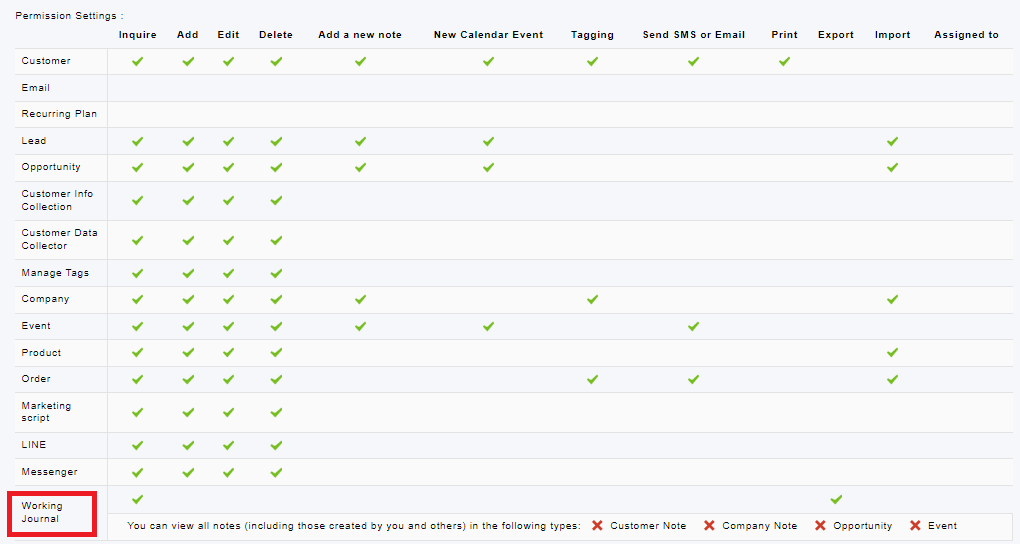
*Due to data security reasons, note export uses the same role permissions as the work journal (as shown below). If you do not have the permission to export notes, you can contact your system administrator to edit permissions.
來源連結:
https://support.vitalyun.com/en/?catid=28&id=5278%3Acan-i-export-specific-note-types-customer-company-opportunity-event-personal&view=article
More Content
2024 August
How to change the System Representative email account?
2024 August