目錄
*Note: This function can only be used by system administrators.
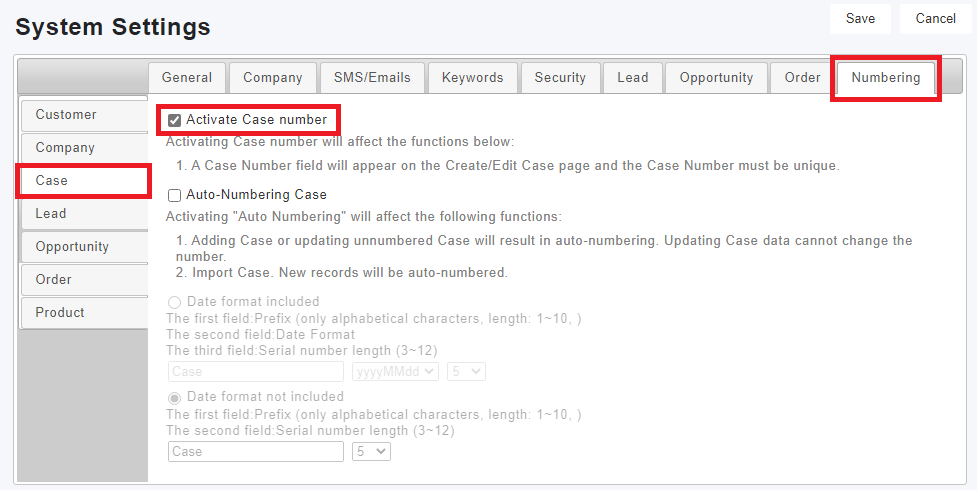
Click [Settings > System > System Settings > Numbering > Case/Event], you can tick "Enable Event/Case Numbering", "Enable Event/Case Automatic Numbering" and set rules here.
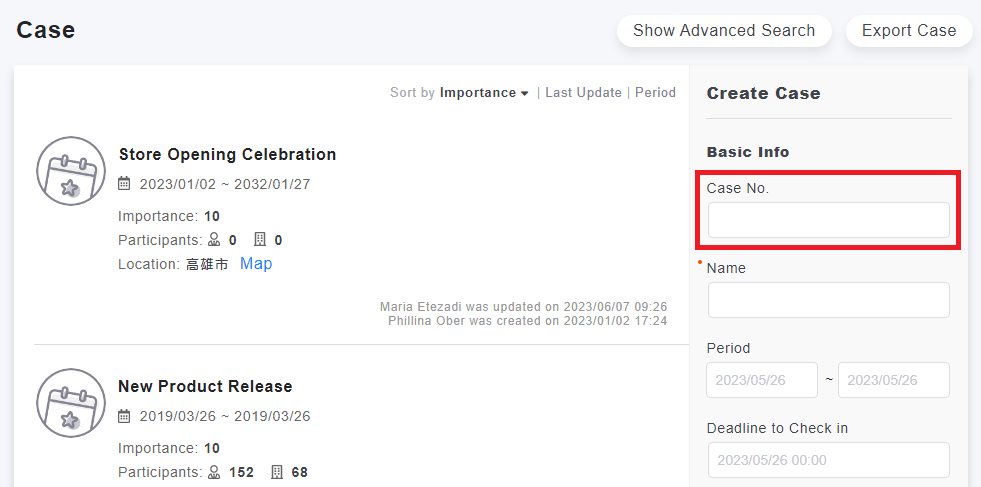
After the ID is enabled, the ID field can be specified when adding an event/case, and the related event/case can also be specified by the ID when importing potential business opportunities.
來源連結:
https://support.vitalyun.com/en/?catid=28&id=5292%3Ahow-can-i-set-event-case-id&view=article
More Content
2024 August
How to change the System Representative email account?
2024 August