目錄
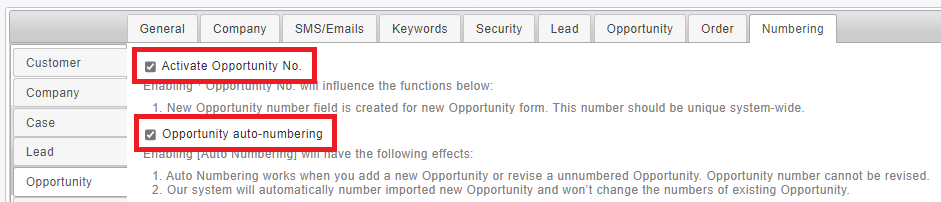
Go to [Settings > System Settings > Numbering > Opportunity], and tick[Activate Opportunity No.], then tick [Opportunity Auto-Numbering] so that you could start setting up numbering format.
*While adding or importing single data, the system will generate Order No. based on rules, moreover, Order No. cannot be edited by manual in order to assure consistency.
來源連結:
https://support.vitalyun.com/en/?catid=28&id=5313%3Ahow-to-set-up-auto-numbering-of-opportunity&view=article
More Content
2024 August
How to change the System Representative email account?
2024 August