目錄
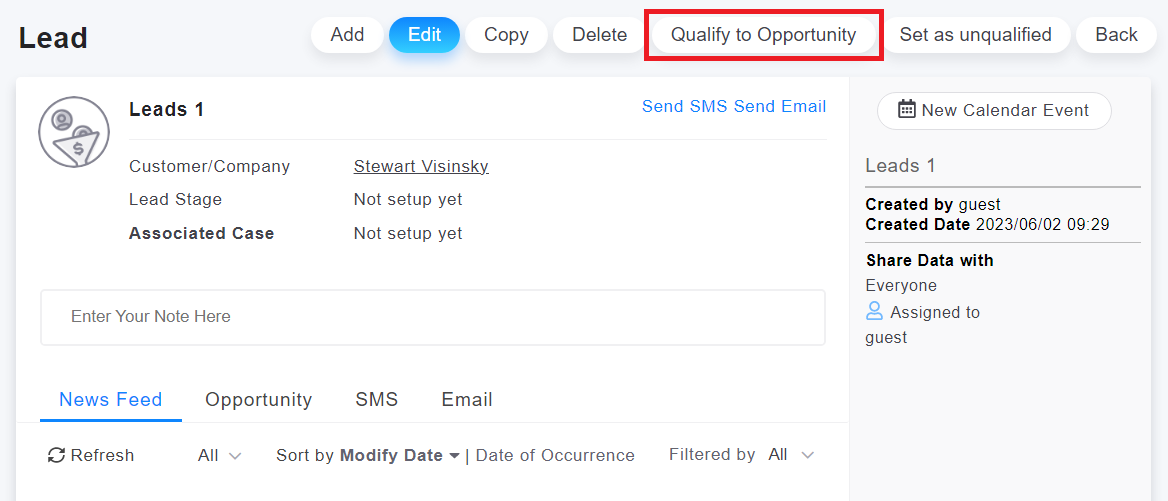
On the leads page, click on the upper right corner "Qualify to Opportunity" button.
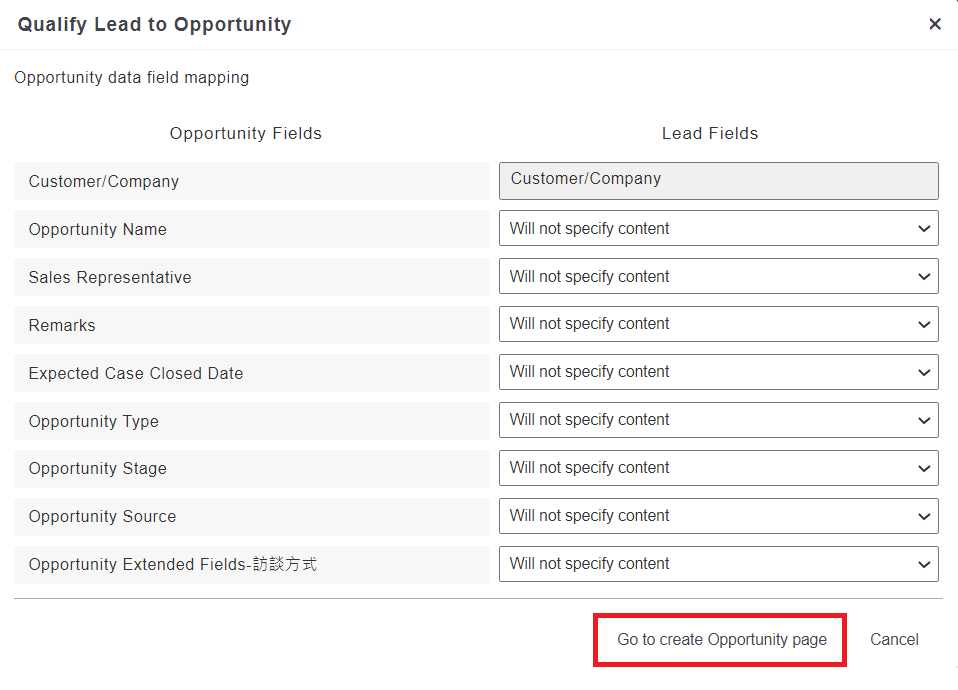
Then, a screen to specify the corresponding fields will appear. Select the appropriate fields and click on the bottom right corner "Go to Create Opportunity" button to proceed to the opportunity creation page.
來源連結:
https://support.vitalyun.com/en/?catid=28&id=5321%3Ahow-to-convert-a-lead-into-an-opportunity&view=article
More Content
2024 August
How to change the System Representative email account?
2024 August