目錄
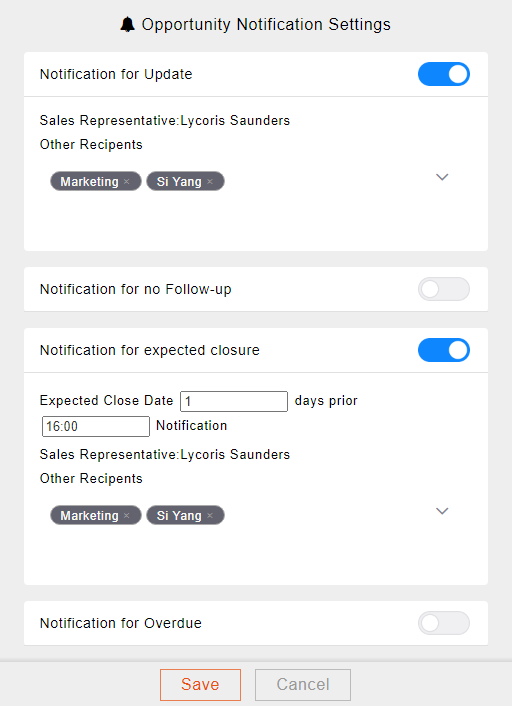
There are four types of reminder notifications for opportunities:
- Notice of change (based on the "change record" of the business opportunity)
- Notice of no contact for more than a few days (based on the date of creating a note and completing the work)
- Notice a few days before the scheduled closing
- Overdue notice (based on the "Scheduled Closing Date")
1. On the right side of the opportunity div screen, you can see the notification list
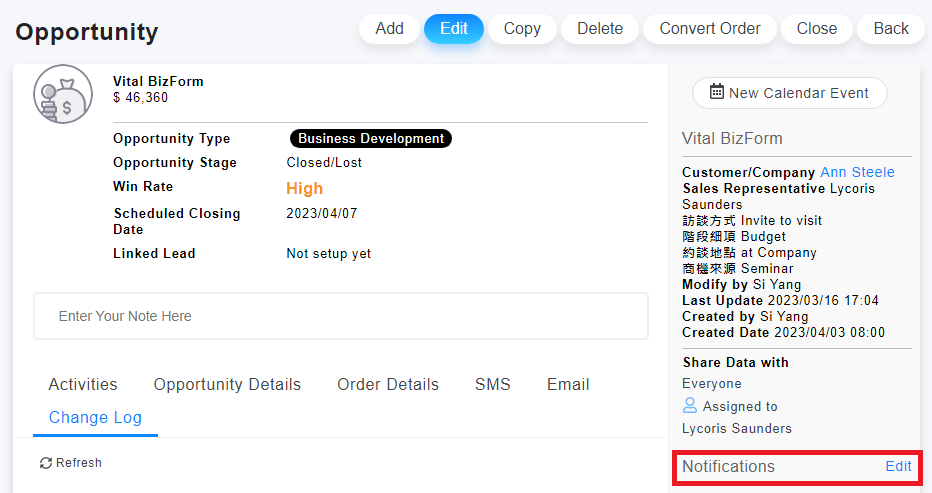
2. Click "edit" on the right to enable, disable or edit the additional notifications. (all types of notification letters are sent to the sales representative by default, and the additional notifiers will receive a copy or to join, so if the sales representative is not set, the notification cannot be set, and the system will send a prompt message)
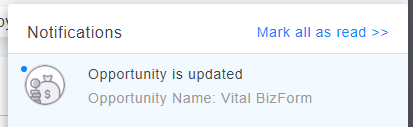
After the notification is due, a system notification and a notification letter will be received. There will be a link to the opportunity in the letter; the system notification will be displayed in the notification list in the upper right corner of CRM, and you can click to link to the detailed information screen of the opportunity.
來源連結:
https://support.vitalyun.com/en/?catid=28&id=5334%3Ahow-to-set-up-reminder-notifications-for-opportunities&view=article
More Content
2024 August
How to change the System Representative email account?
2024 August