目錄
Admins can adjust form's approval order.
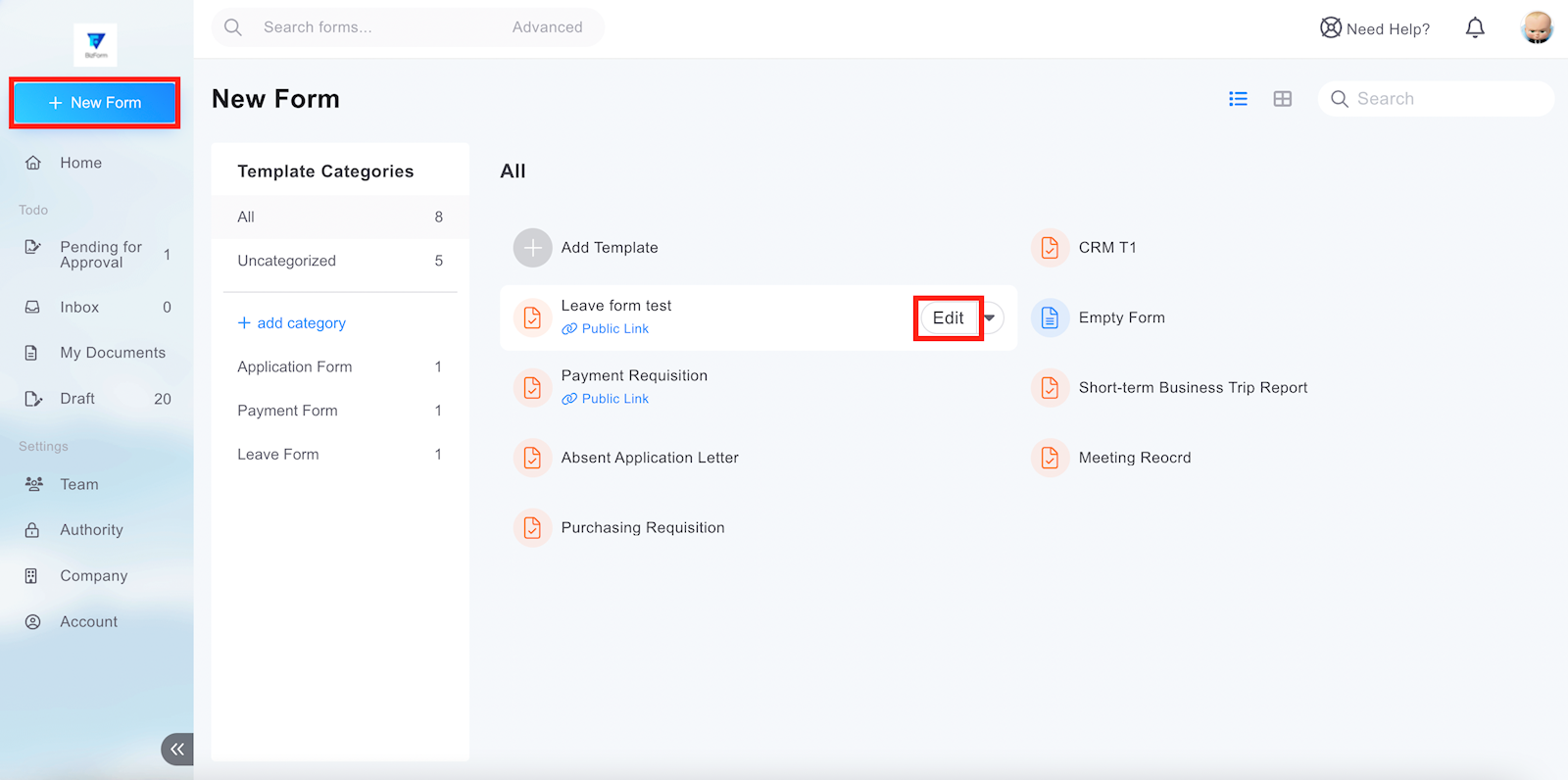
1. Click [+New Form] on the left-handed menu and hover over template name you want to adjust the approval order. Then click [Edit].
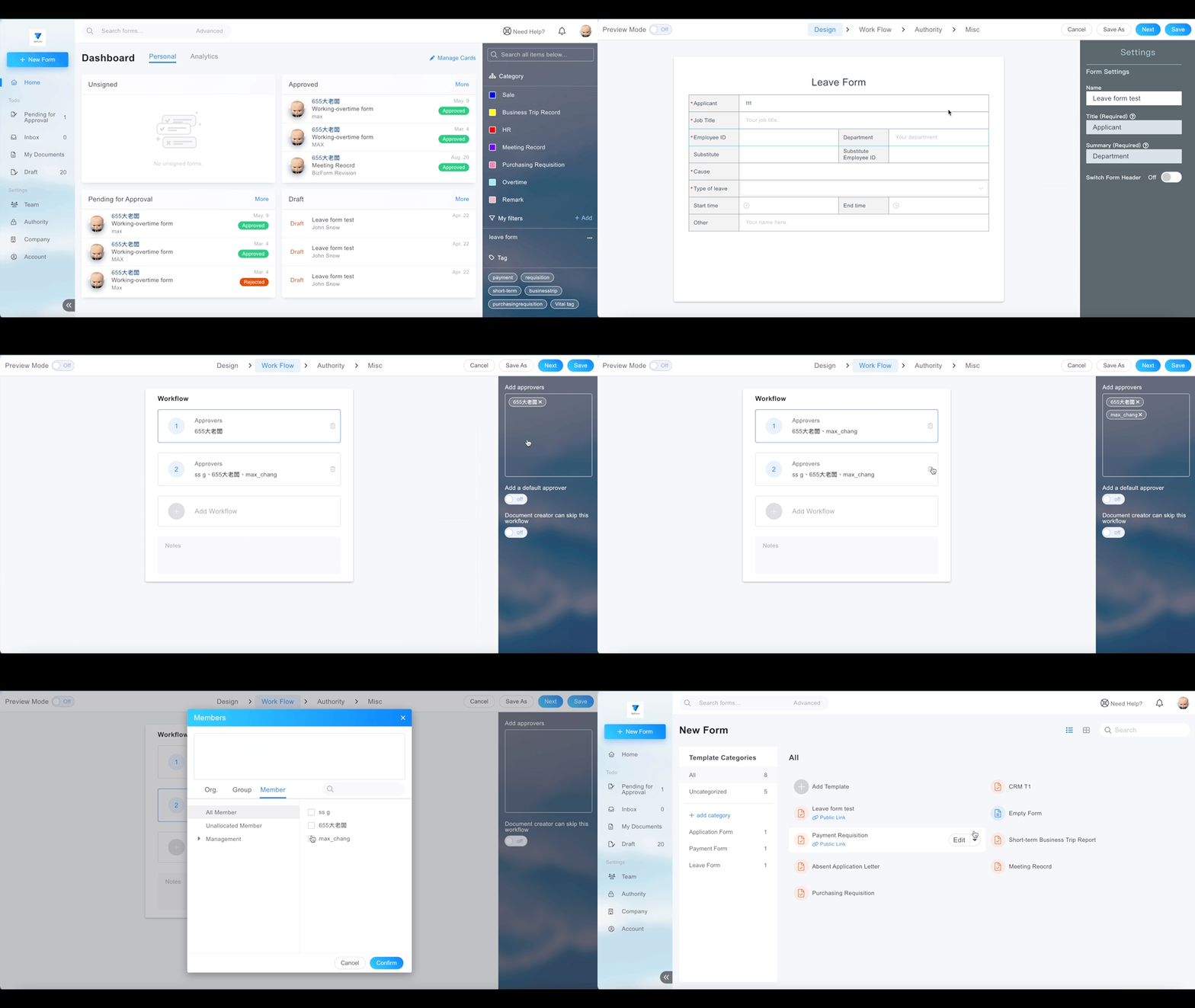
2. Switch into [Workflow] tab and you can add/delete approvers in each workflow or add/delete workflows.
來源連結:
https://support.vitalyun.com/en/?catid=28&id=5409%3Ahow-to-adjust-the-approval-order&view=article
More Content
2025 December
Account Notification Setting
2024 August