目錄
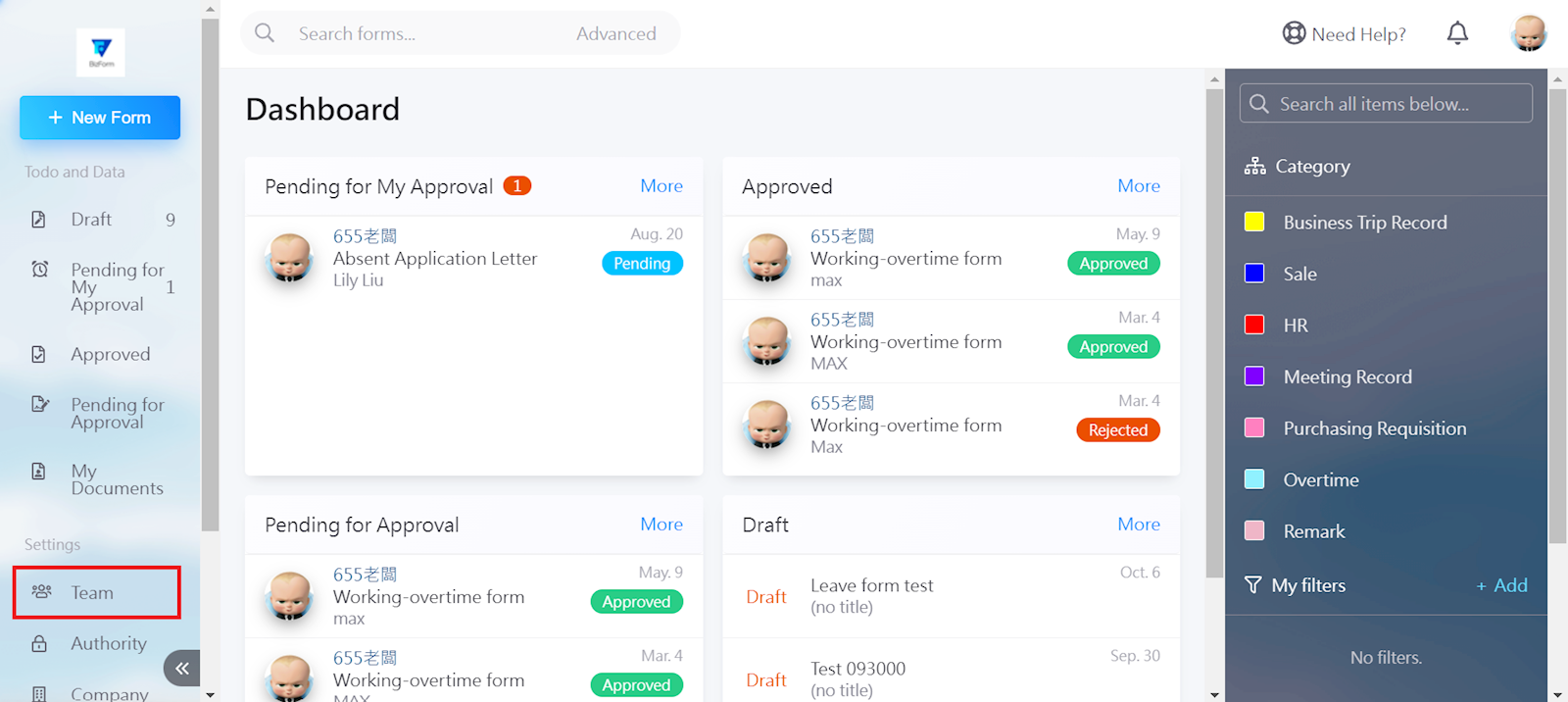
Select [Team] in the left menu.
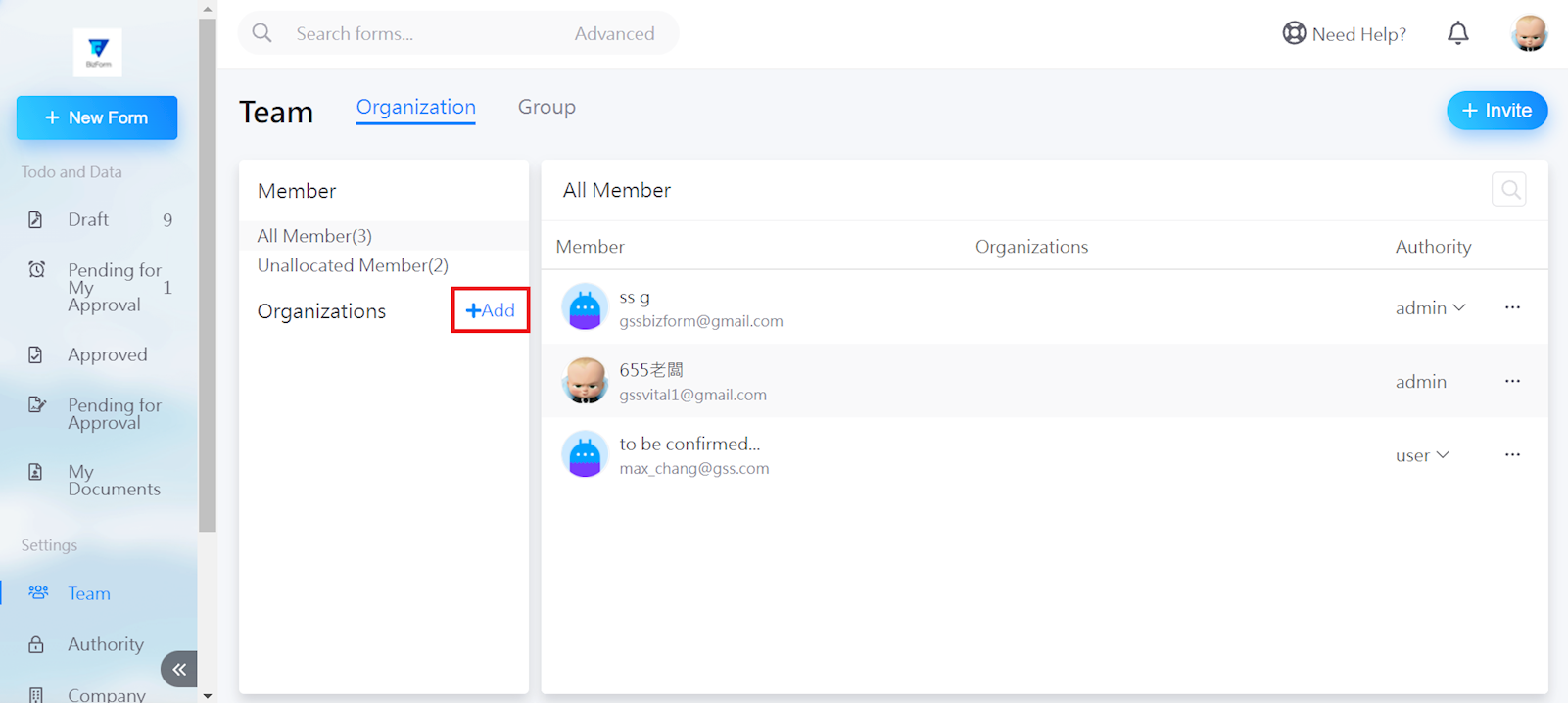
Click [Add] next to "Organizations".
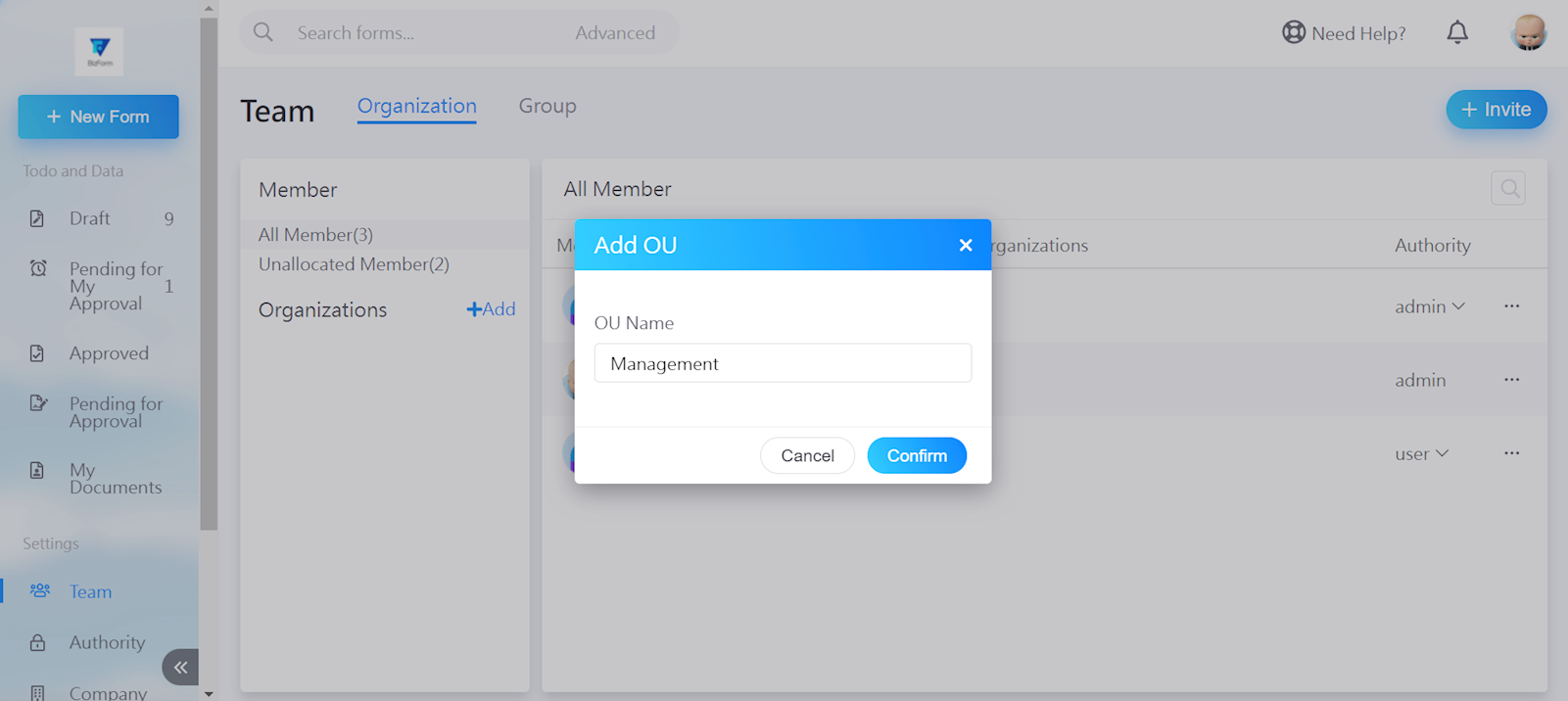
Enter the organization name, then click [Confirm].
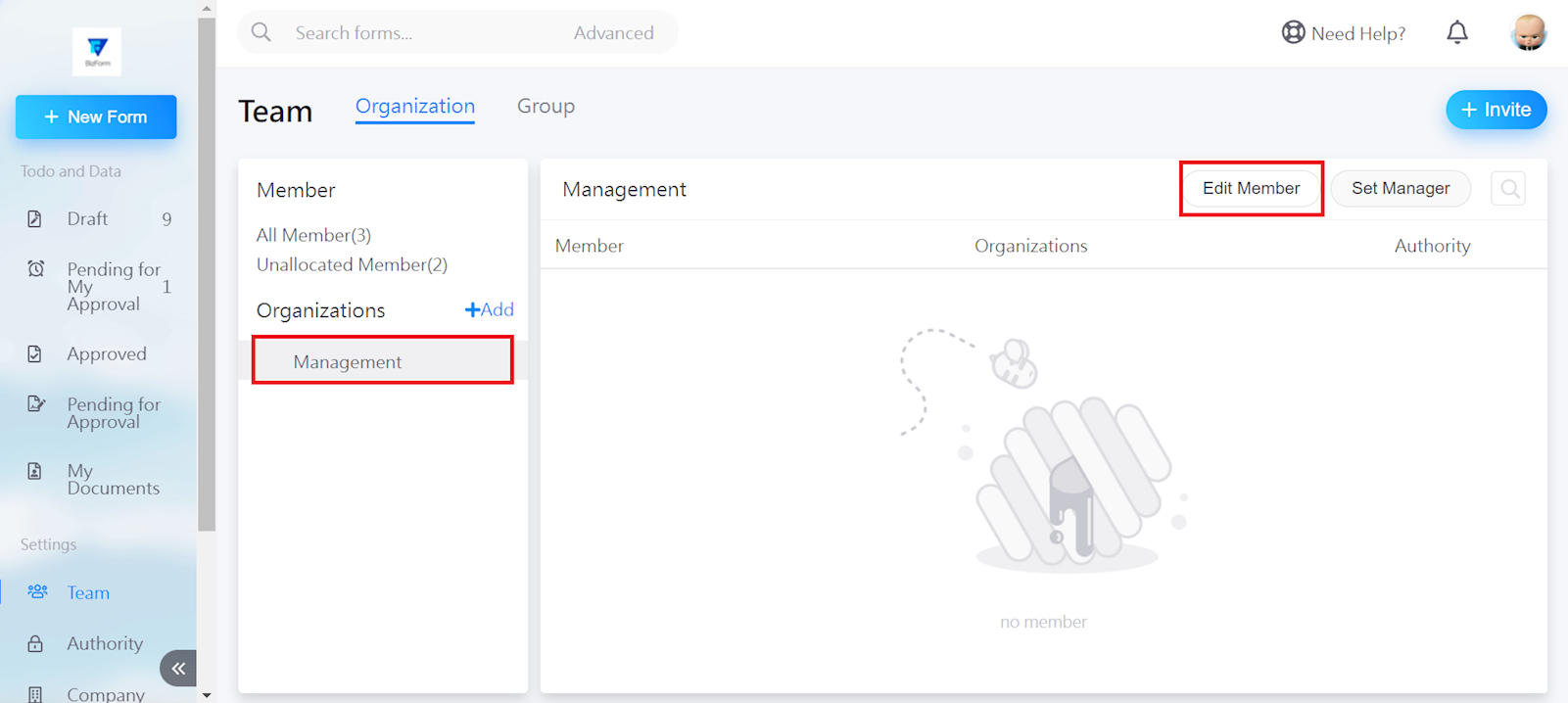
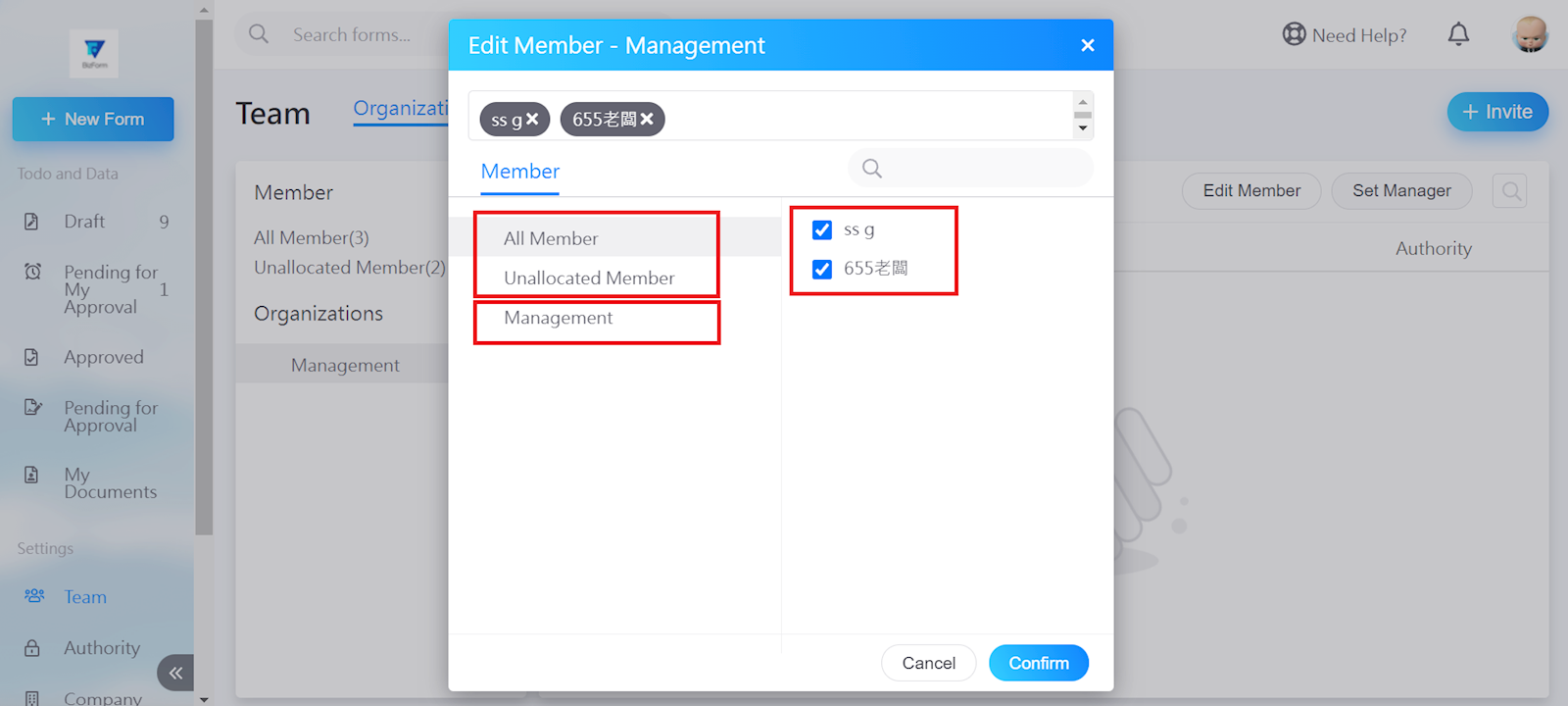
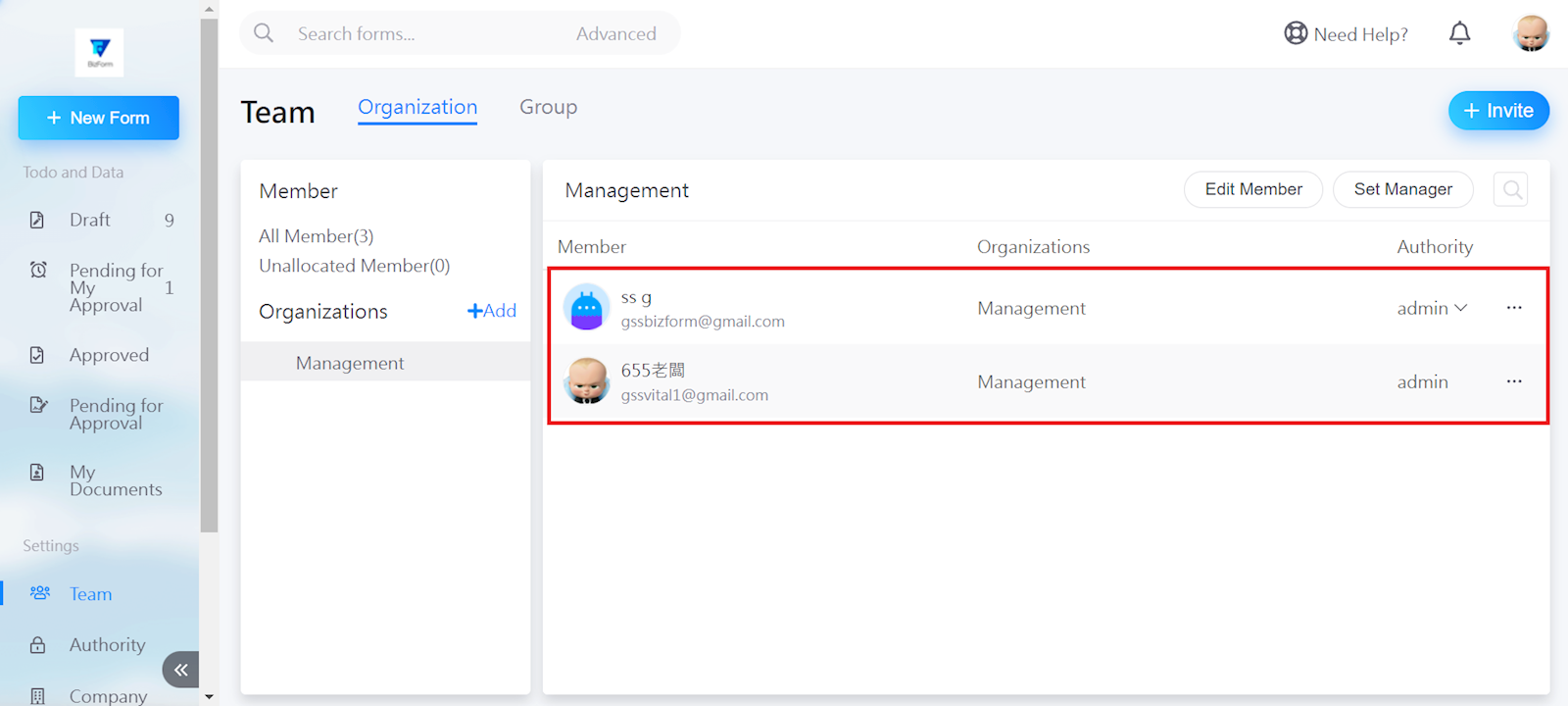
Select the organization, and go to [Edit member] if there are already existing members in the system. (If not, please invite new members first)
You may start adding members through "All member," "Unallocated member," or other existing organizations. Click [Confirm] when finished.
來源連結:
https://support.vitalyun.com/en/?catid=28&id=5446%3Ahow-do-i-add-an-organization&view=article
More Content
2025 December
Account Notification Setting
2024 August