目錄
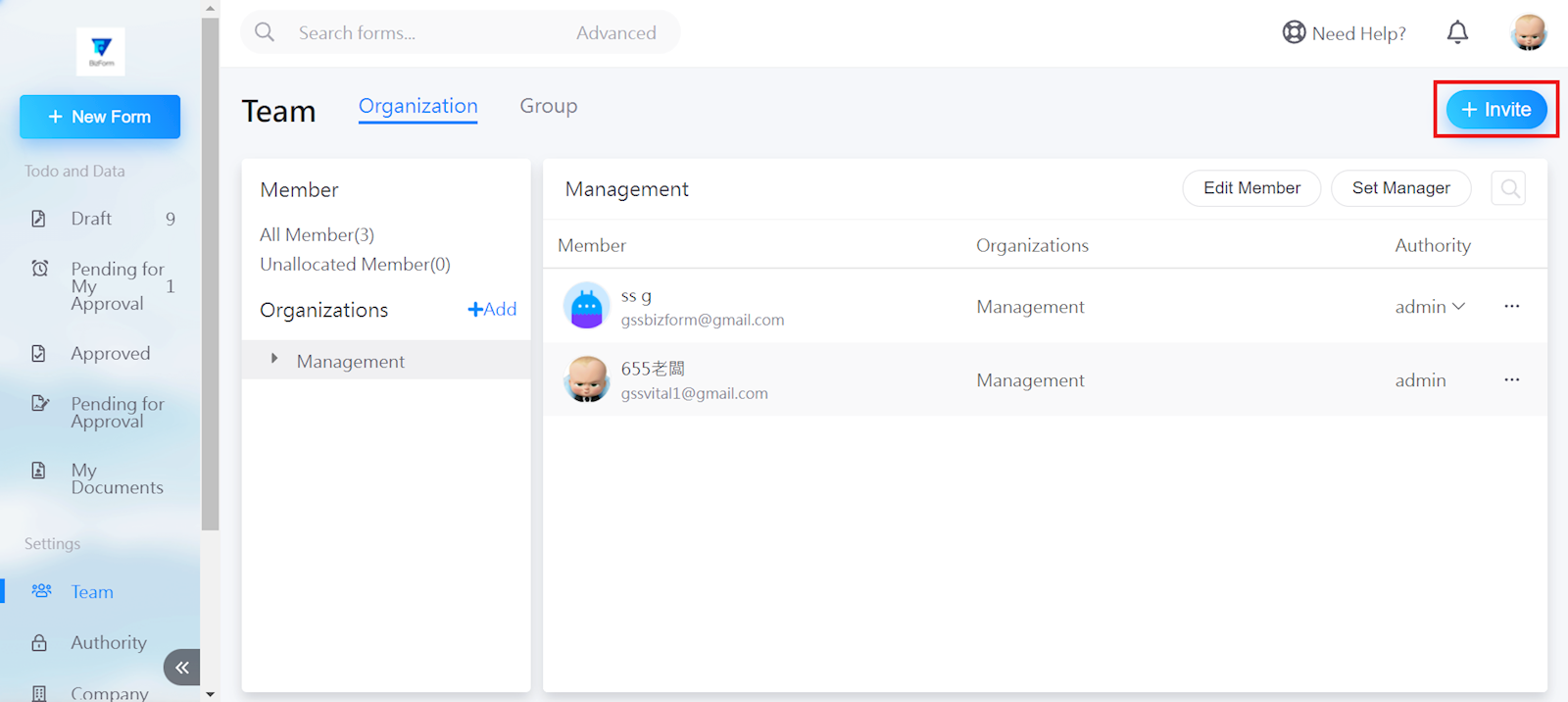
In the Team interface, select [+Invite] in the top right corner.
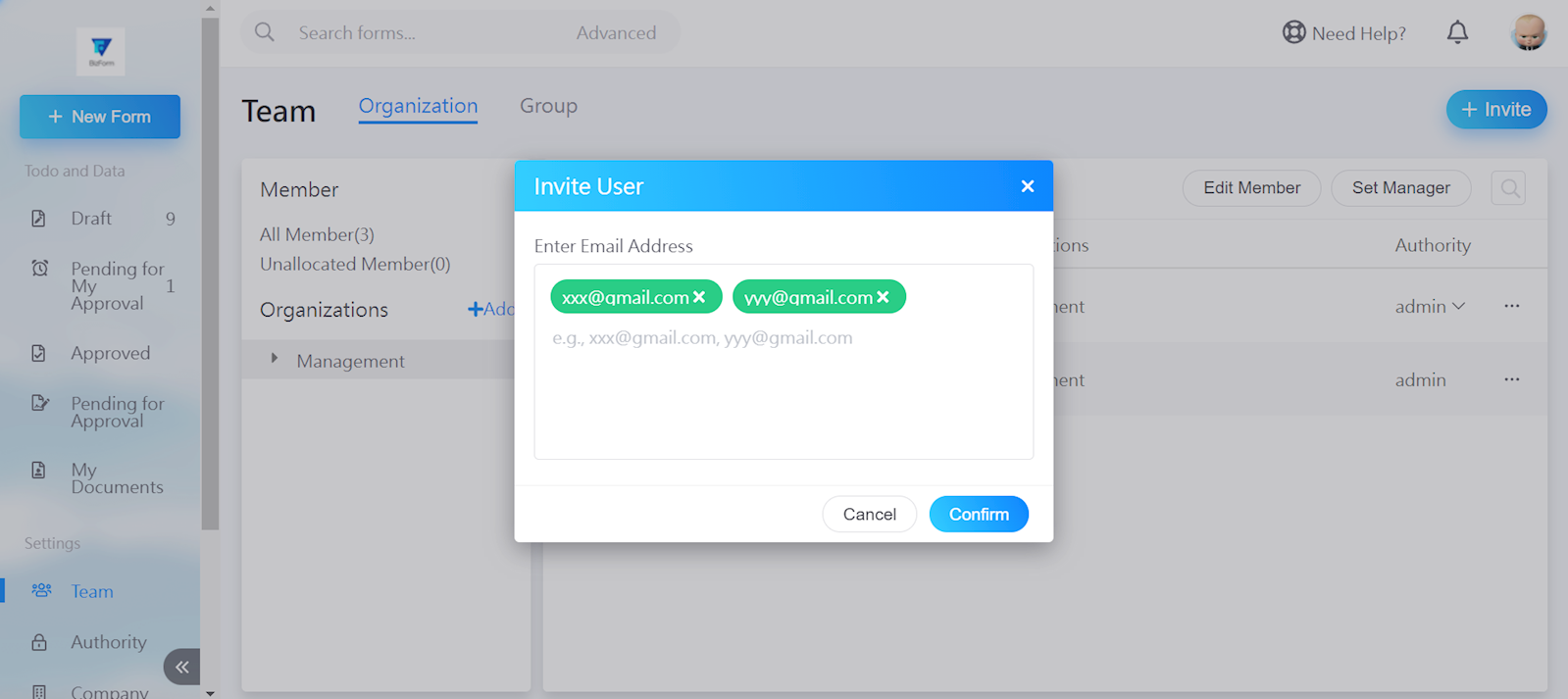
Enter the email of the users you wish to add, then select [Confirm].
來源連結:
https://support.vitalyun.com/en/?catid=28&id=5450%3Ahow-can-i-add-numerous-users-at-once&view=article
More Content
2025 December
Account Notification Setting
2024 August