目錄
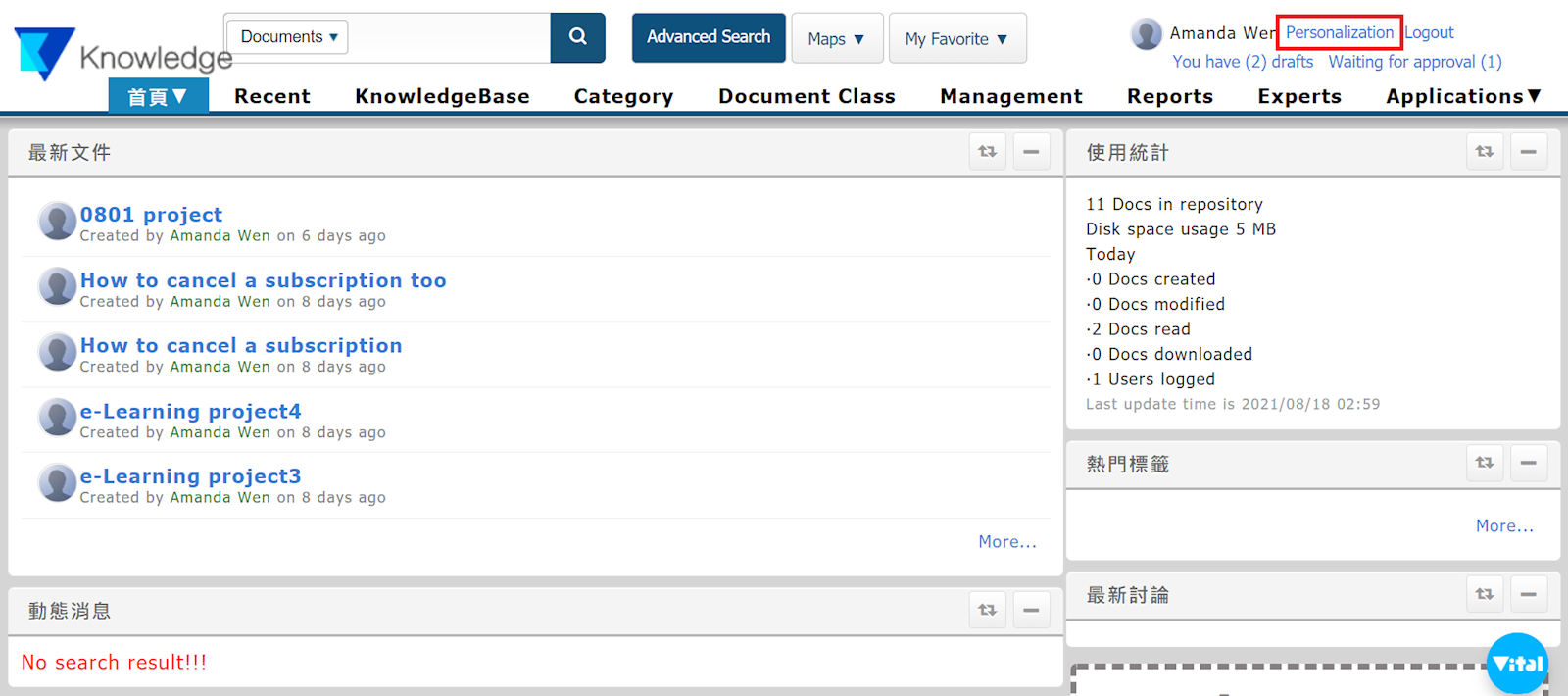
Select [Personalization].
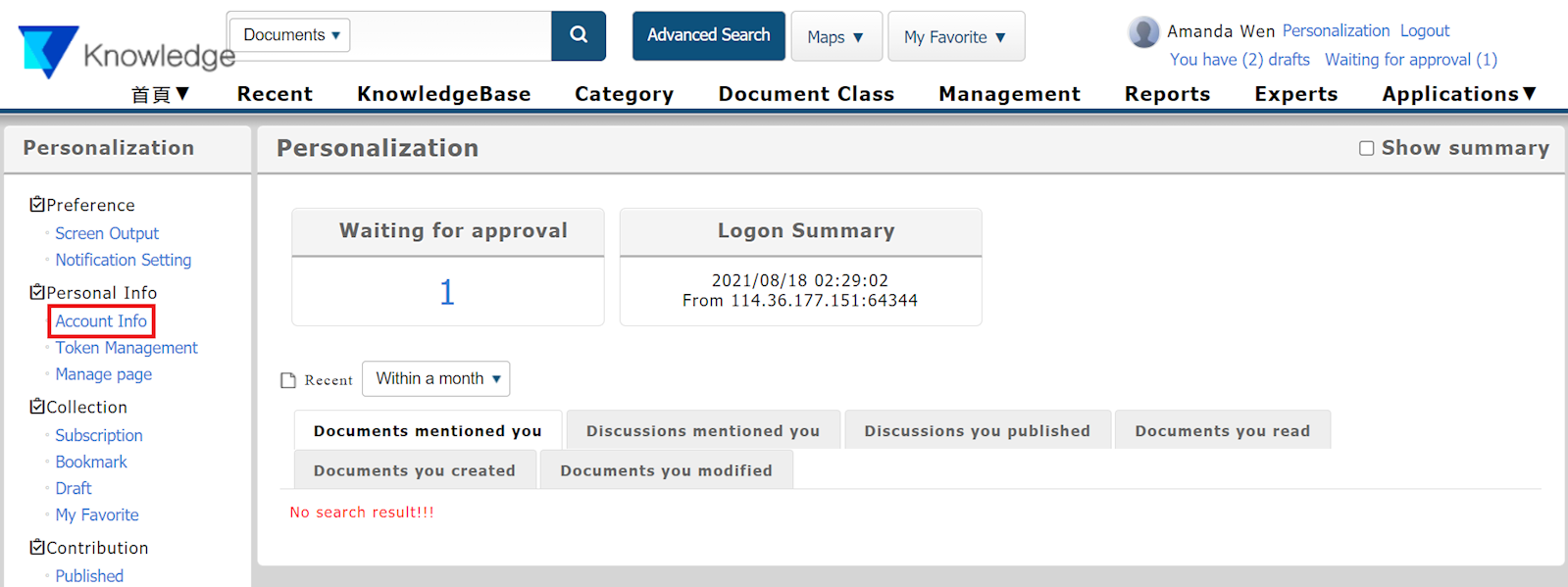
Select [Account Info] in the left menu.
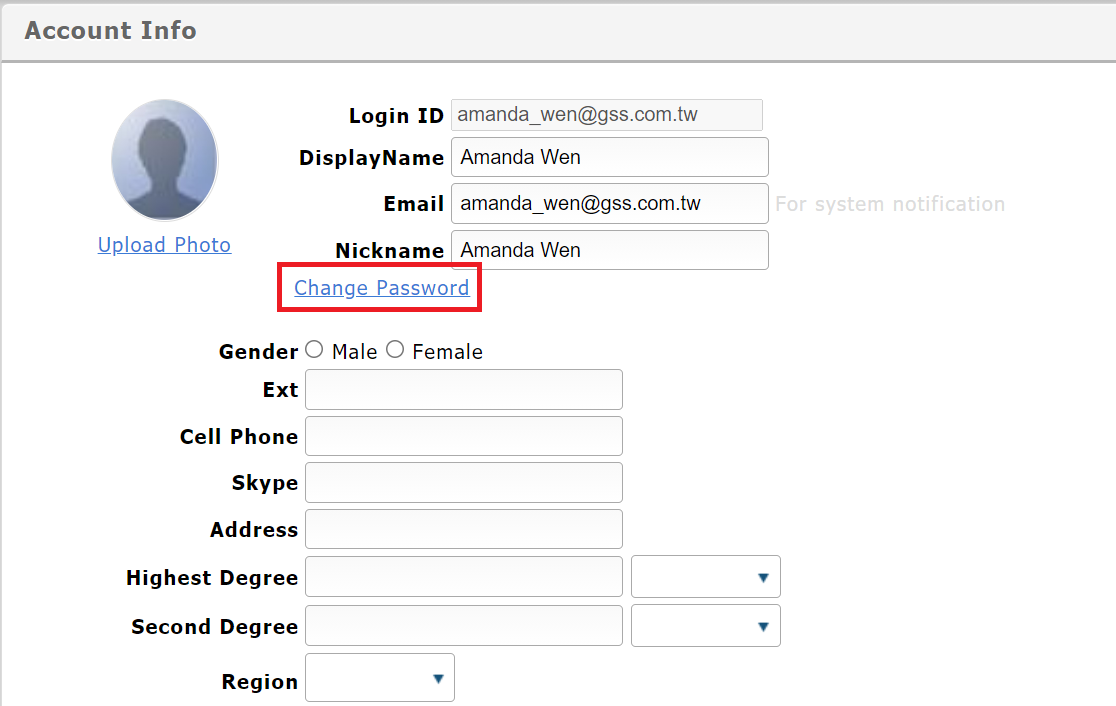
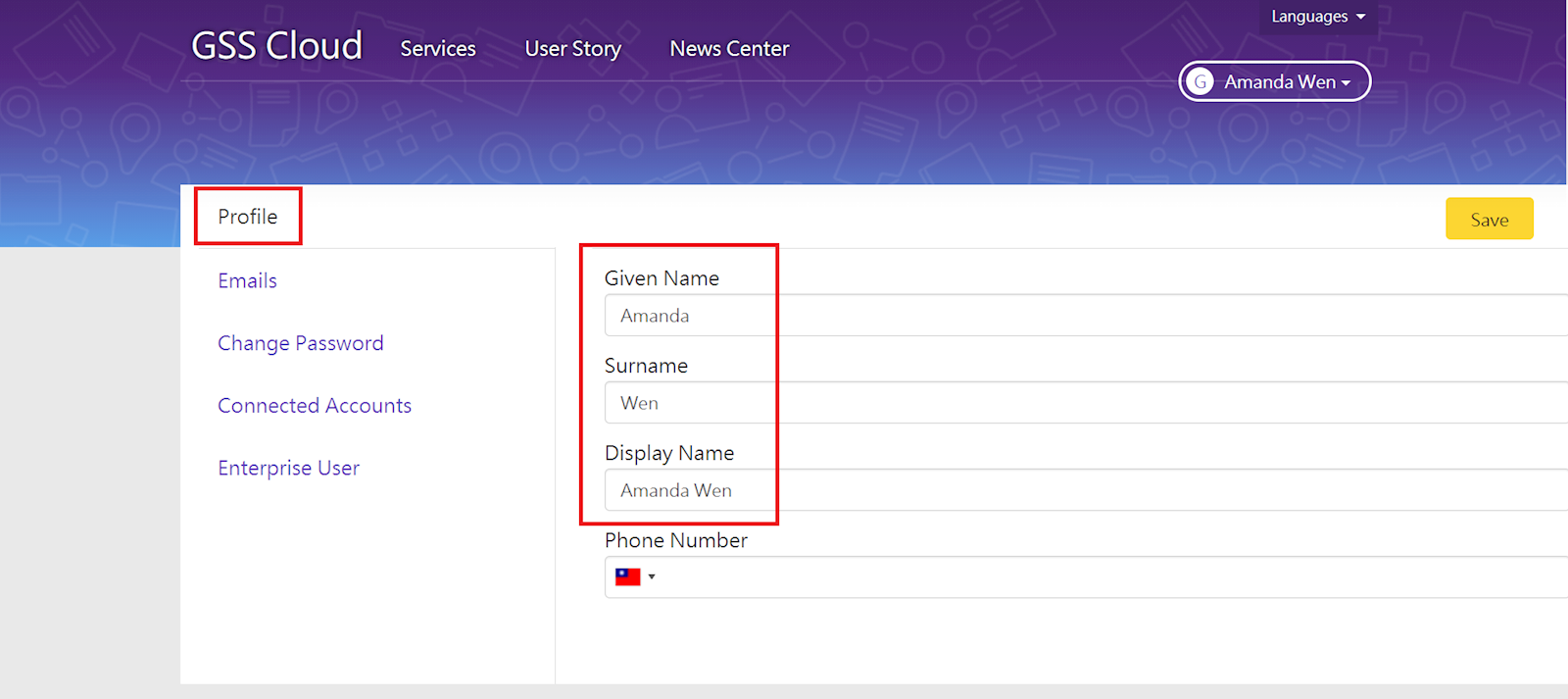
After selecting [Change password], you will enter GSS Cloud account center. Select [Profile], and edit your given name/display name below. Once finished, click [Save] on the top right corner.
*Reminder: After modification, please re-login the system.
Once logged in, the new display name will be shown.
來源連結:
https://support.vitalyun.com/en/?catid=28&id=5695%3Ahow-do-i-change-my-display-name&view=article
More Content
2024 August
"My Subscription" and "My Subscribed Documents" explained
2024 August