目錄
When conducting the API cascade connection, an API site URL and API Key should be provided for the engineer to successfully complete the interfacing. The instructions are below:
API link
Add an additional "/API" to the end of the system login URL, which will become the API URL. For example, http://km.vitalyun.com/123456/api .
API Key settings (operated by admin)
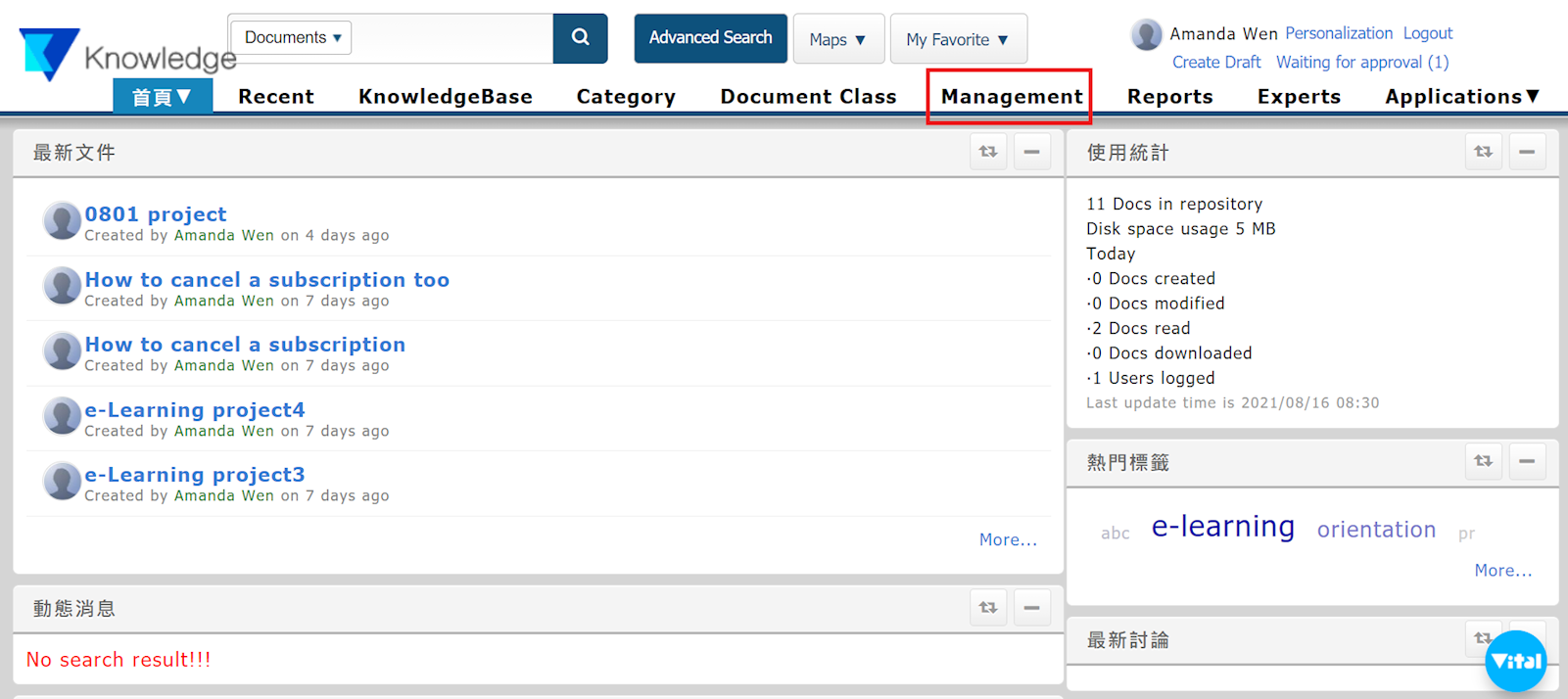
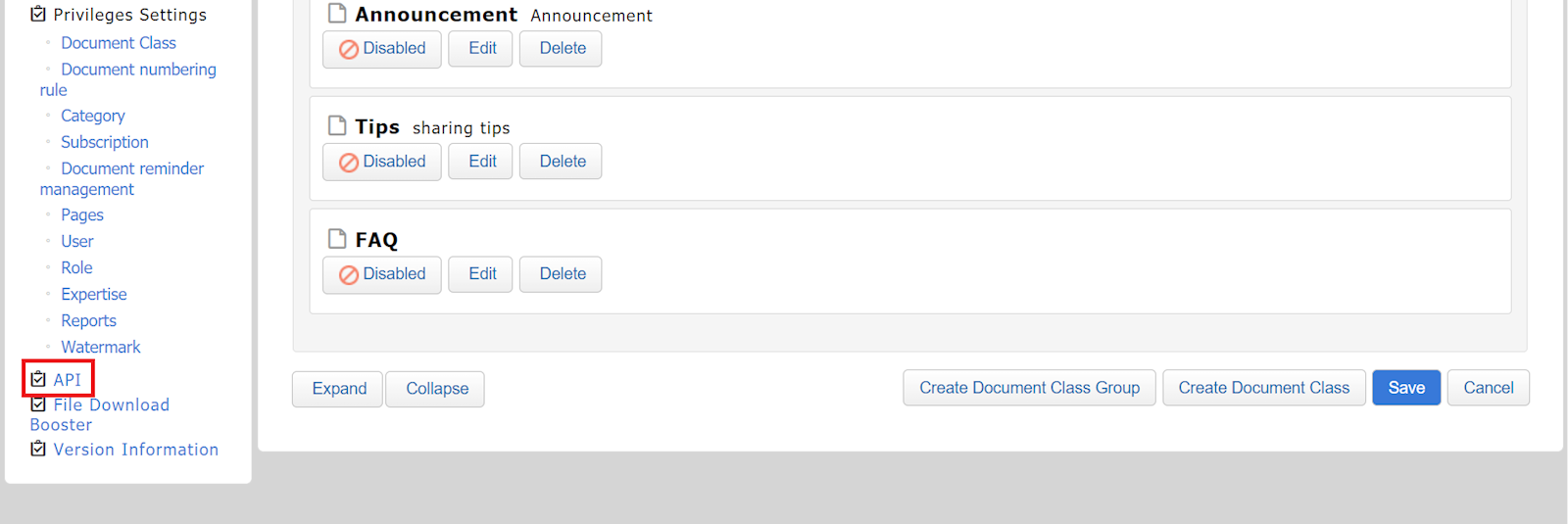
1. Once logged into the system, go to [Management] > [API].
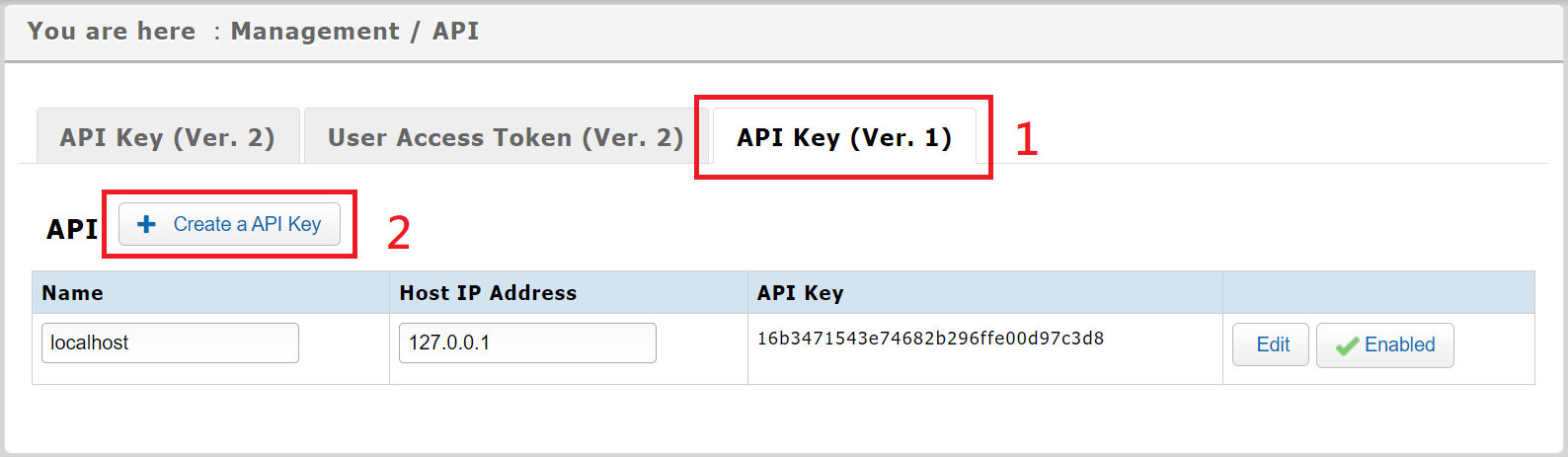
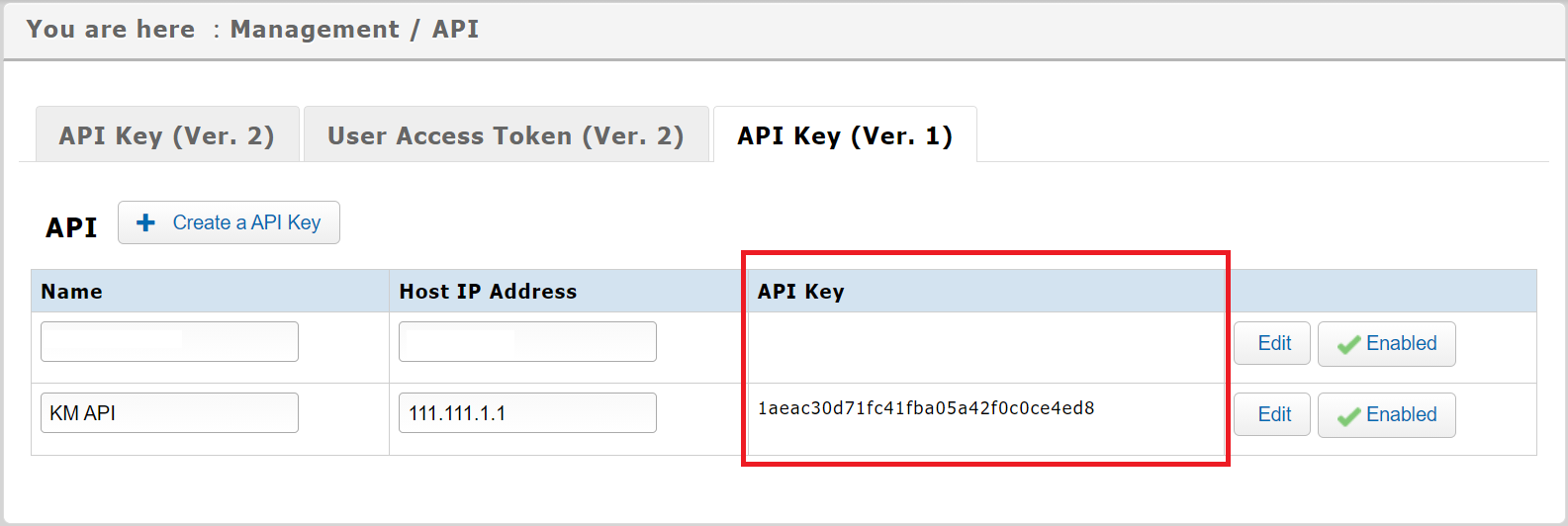
2. Select the "API Key(Ver.1)" tab, and choose [+Create a API Key].
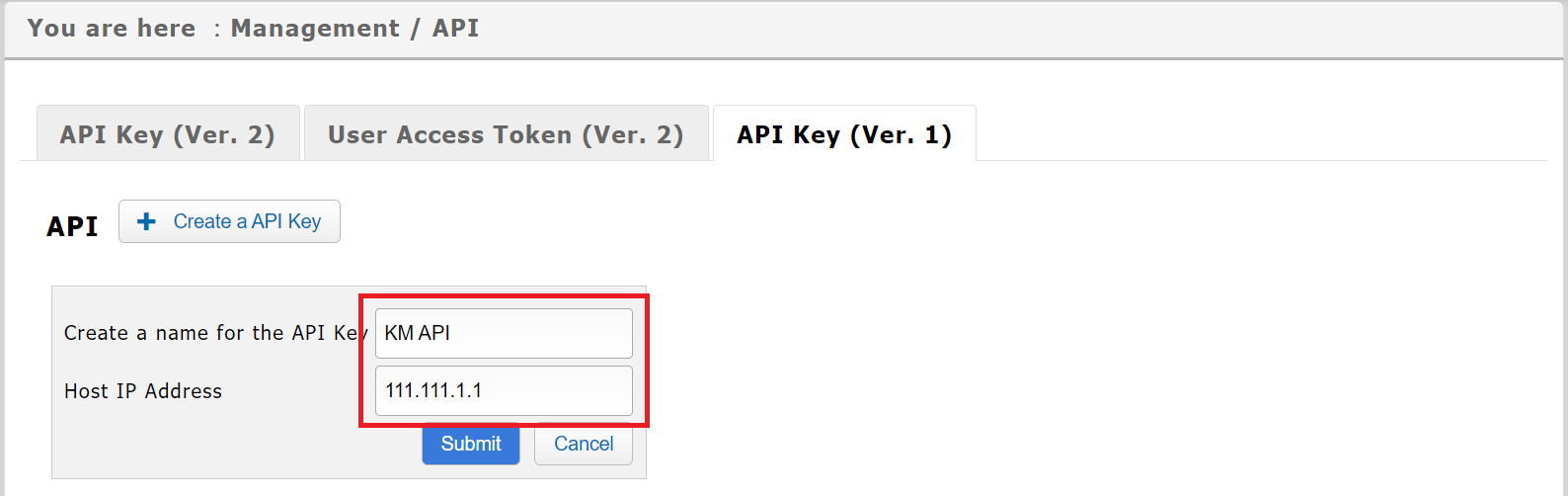
3. Create a name for the API Key, along with a host IP address, then click [Submit].
4. Once created, it will be listed below. Please provide your engineer with the information in the API Key column.
來源連結:
https://support.vitalyun.com/en/?catid=28&id=5709%3Aapi-key-settings&view=article
More Content
2024 August
"My Subscription" and "My Subscribed Documents" explained
2024 August