目錄
As well as scheduling email/SMS marketing scripts to take care of your customer, marketing scripts can be used to assign tasks and set up reminders.
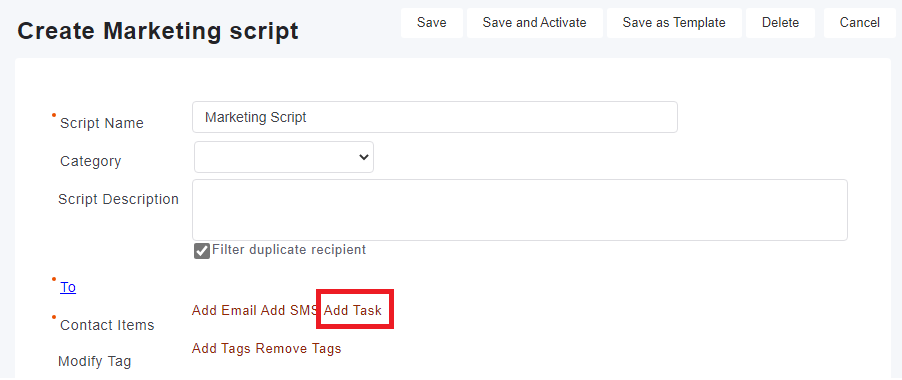
1. Select [Add Task] in the marketing script you created.
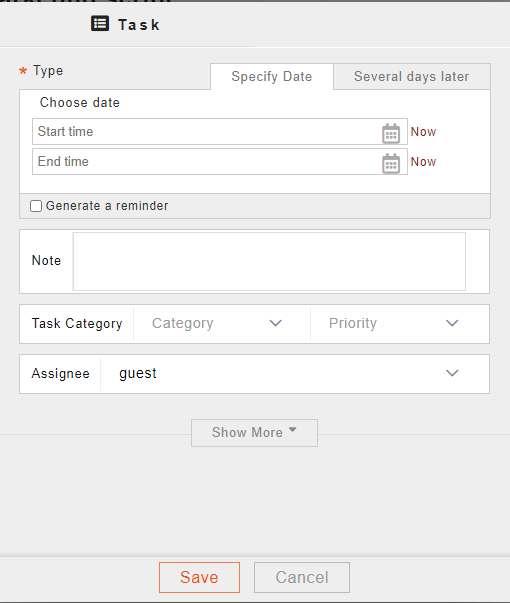
2. Task settings window will pop up. You can set the task's schedule, assign tasks to personnel and generate reminders.
來源連結:
https://support.vitalyun.com/en/vital-crm/faq?catid=28%3Aarticle&id=4975%3Ahow-do-i-script-tasks-and-give-reminders-to-specific-employees&view=article
More Content
2024 August
How to change the System Representative email account?
2024 August