目錄
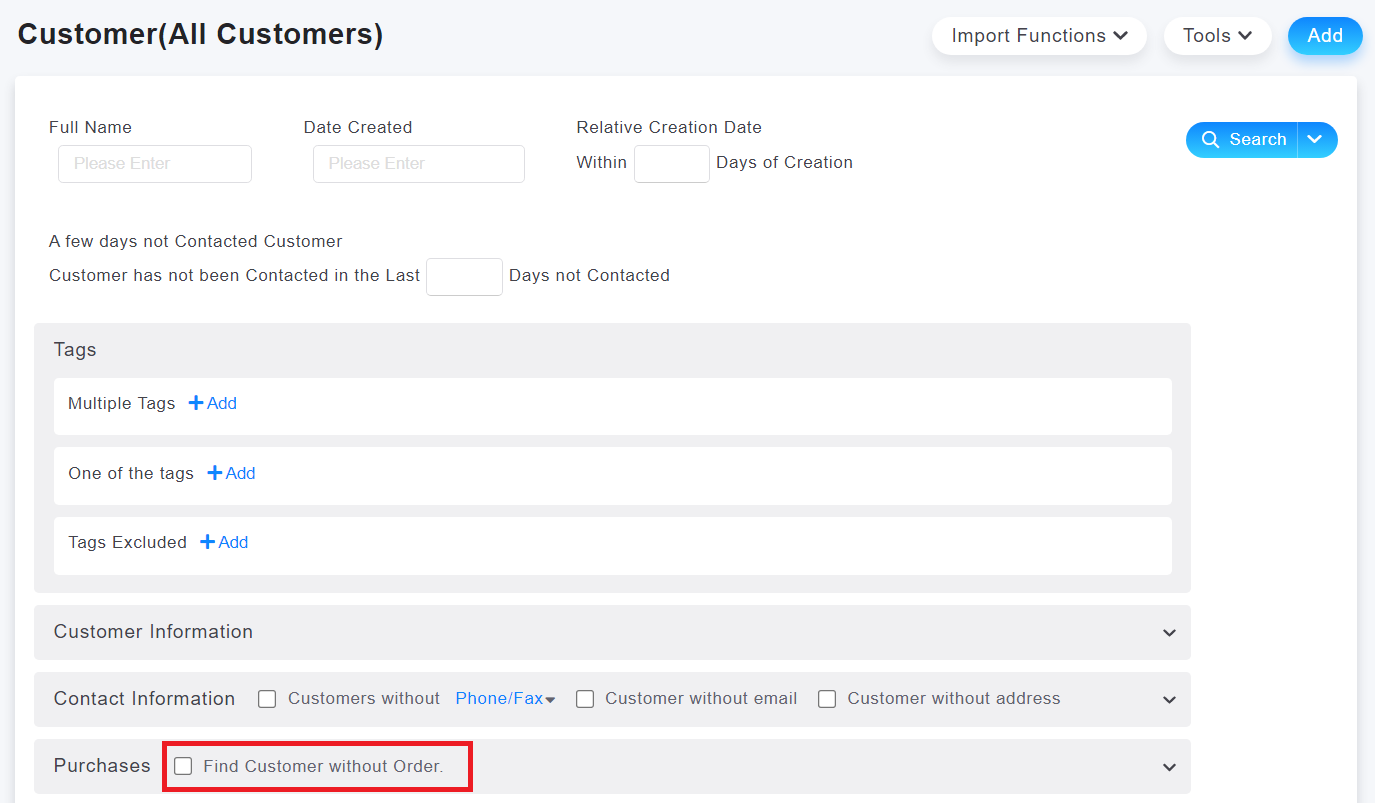
1. In the customer page, click on [More Criteria] and check the option "Find customers without order".
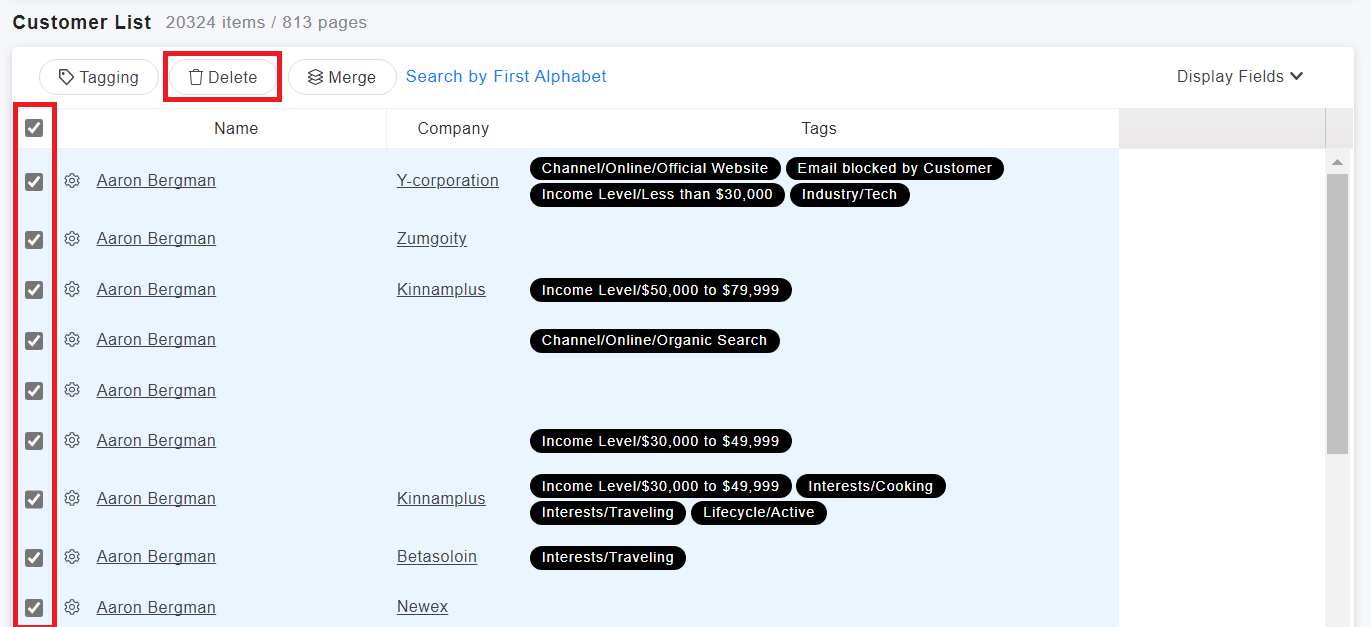
2. Once you have identified the customers, you can select them by checking the boxes next to their names and click on the "Delete" button at the top.
來源連結:
https://support.vitalyun.com/en/vital-crm/faq?catid=28&id=5001%3Ahow-to-find-and-delete-customer-data-who-have-never-made-a-purchase&view=article
More Content
2024 August
How to change the System Representative email account?
2024 August