目錄
1. Go to [Customer] tab and click the customer's name to enter the customer's profile tab
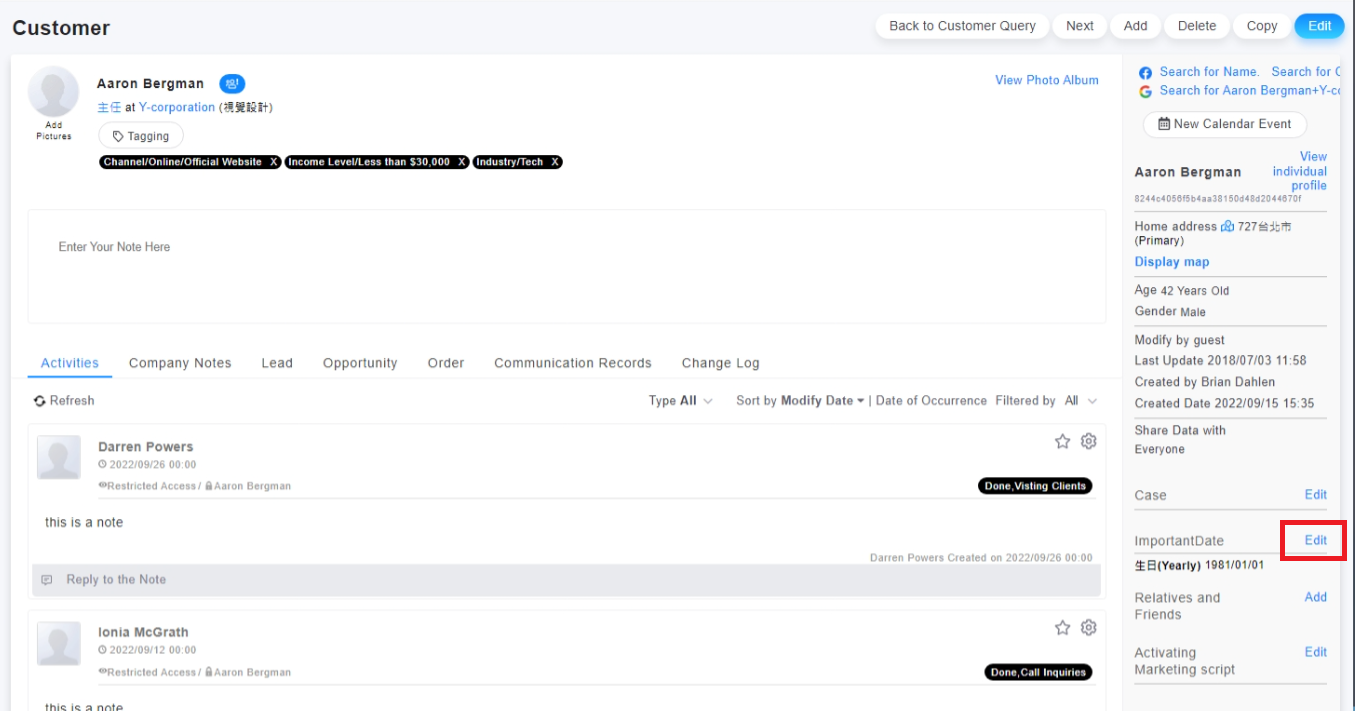
2. On the customer's profile tab, click on [edit] beside the "Important Date"
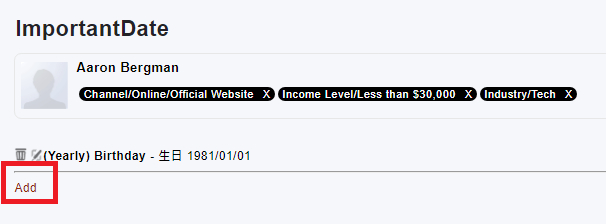
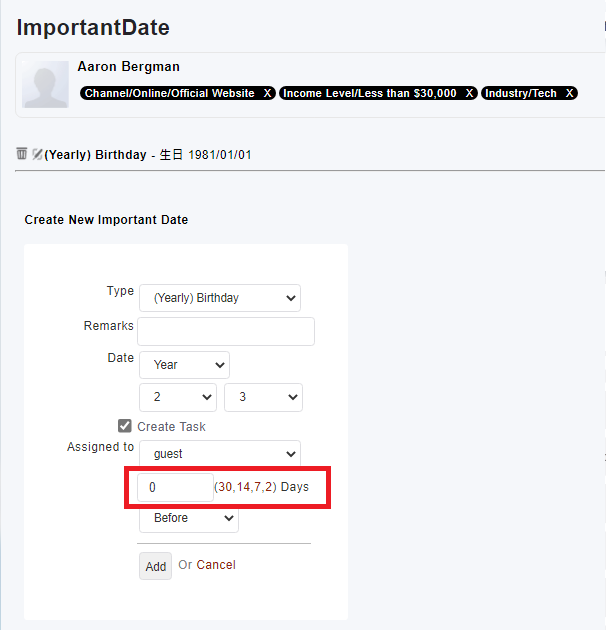
3. Click [Add] to setup a notice
Note: If you want to notice day the same as the important date, please input "0" on "days" field when you setup the important date.
來源連結:
https://support.vitalyun.com/en/vital-crm/faq?catid=28&id=5062%3Ahow-to-setup-annual-reminders&view=article
More Content
2024 August
How to change the System Representative email account?
2024 August