目錄
| 1. Input search criterias to search and filter the opportunity datas.
2. Tick the opportunity you would like to delete. 3. After making sure the datas are correct, and click [Delete]. 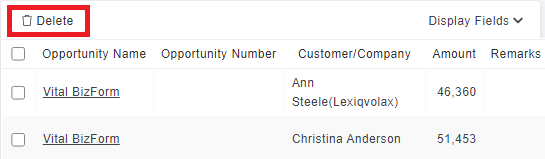
4. The system will show confirm message [Confirm delete?] to avoid deleting by accident. 5. If the opportunity data include notes, the confirm message will show again. 6. If you are sure you want to delete the opportunity, please click [Delete] to delete the opportunity. |
來源連結:
https://support.vitalyun.com/en/vital-crm/faq?catid=28&id=5312%3Ahow-to-batch-delete-opportunities&view=article
More Content
2024 August
How to change the System Representative email account?
2024 August