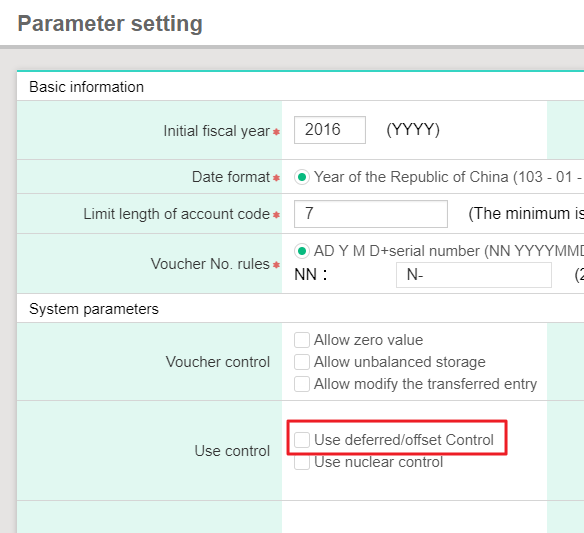
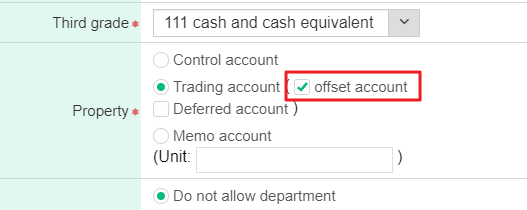
If you would like to use offset eport, please check [Use deferred/offset Control] first in [Parameter setting], and click [Maintenance>Account information>Account]. While choosing or adding accounts, if the account has to be offset, please check [Offset account].
(Please take FAQ as reference for more operation steps in detail.)
1. If you would like to use offset eport, please check [Use deferred/offset Control] first in [Parameter setting].
2. Click [Maintenance>Account information>Account]. While choosing or adding accounts, if the account has to be offset, please check [Offset account].
3. After finishing following two steps, the account will show offset at the last while inputting the voucher, and it representsthat the account is going to offfset.
4. While receiving the payment,whose account is the one you are going to offset, [Offset selection] message will show, and you could select or input the amount according to the voucher you would like to offset.
5. After clicking [Save], the system will show a screen providing with selection of voucher information that you would like to offset. Moreover, if you would like to do offset report management, please click [Reports> Daily report>Offset report] to generate offset report.
來源連結: