目錄
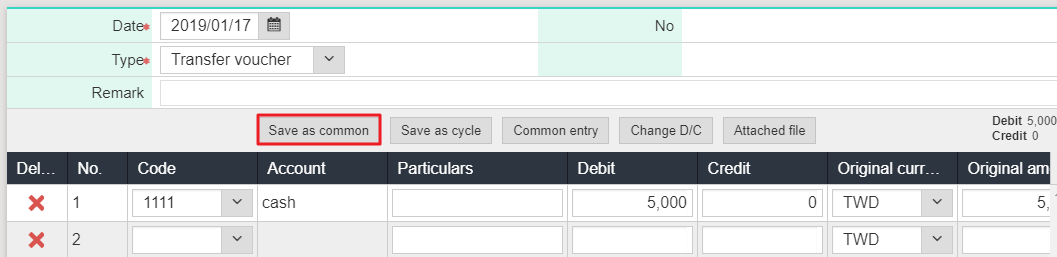
*Common entry: Save common voucher as template(No limitation)
1. Please click [Daily work> Voucher input], and after add a new voucher, please click [Save as common].
2. After inputting code, name, type and access mode, please click [Save].

3. If you would like to input the voucher in the future,you are able to select the common entry to input quickly.

來源連結:
https://support.vitalyun.com/en/vital-finance/faq?catid=28&id=5533%3Ahow-to-use-common-entry&view=article
More Content
2024 August
Accountant/agent role function restrictions in maintenance
2024 August