目錄
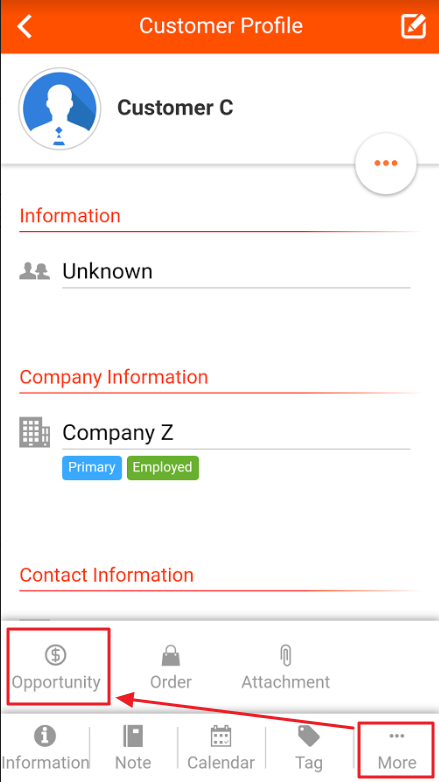
1. After entering customer information, click [More] and select [Opportunities].
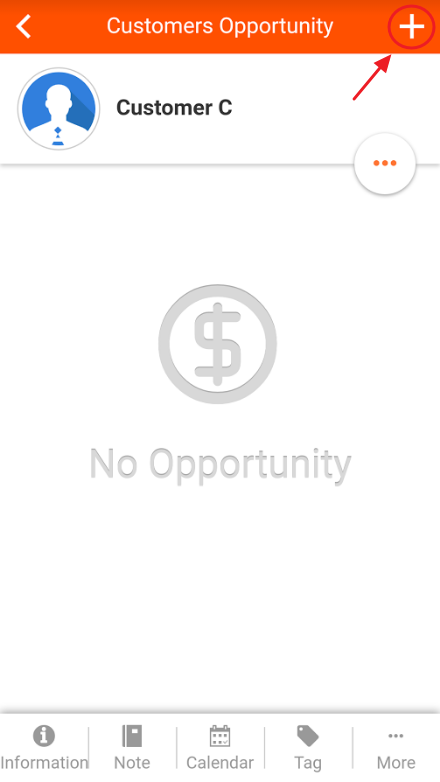
2. On the Customer Opportunities page, on the top right, click [+] to add a new Opportunity.
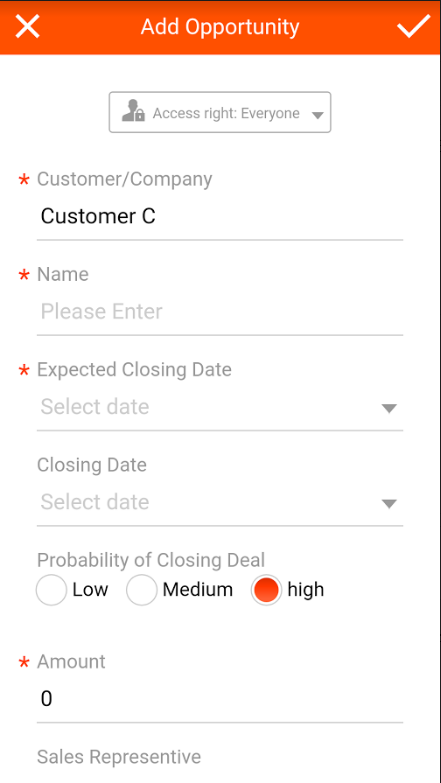
3. Afterwards, you can then add an Opportunity. Note that permissions could also be set to Opportunities.
來源連結:
https://support.vitalyun.com/en/?catid=28&id=4933%3Ahow-to-add-new-opportunities-from-the-app&view=article
More Content
2024 August
How to change the System Representative email account?
2024 August