目錄
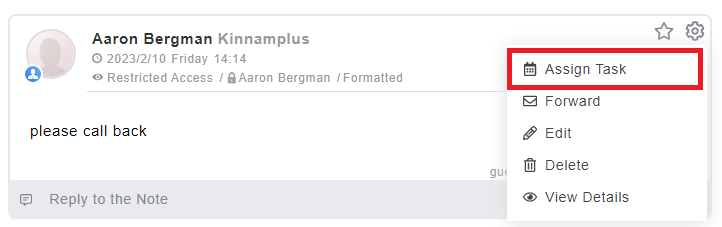
1. Click on gear icon on one note and choose [Assign task].
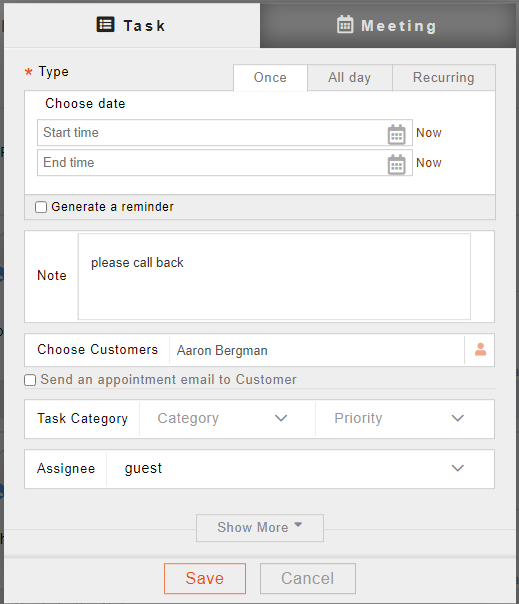
2. The system will pop up the settings window. Enter the execution date, tick the reminder field to help you follow-up.
來源連結:
https://support.vitalyun.com/en/?catid=28&id=5084%3Ahow-do-i-follow-up-my-notes&view=article
More Content
2024 August
How to change the System Representative email account?
2024 August