目錄
Note: This function is only available to system administrators.
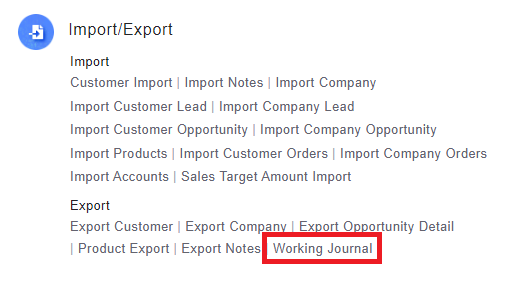
1. Go to [Settings] then select [Working journal] under [Import/Export].
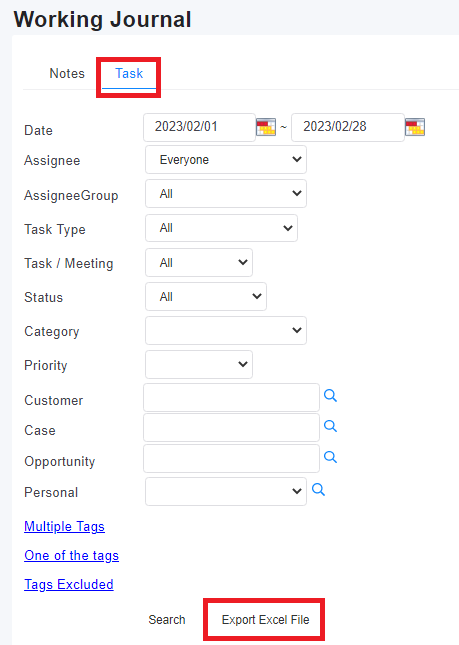
2. In the [Task] tab, input search criterias to filter out the desired data then click [Export Excel File] to export the data.
來源連結:
https://support.vitalyun.com/en/?catid=28&id=5128%3Ahow-do-i-export-working-jornal&view=article
More Content
2024 August
How to change the System Representative email account?
2024 August