目錄
When company information is duplicated, you can combine company information in the following way:
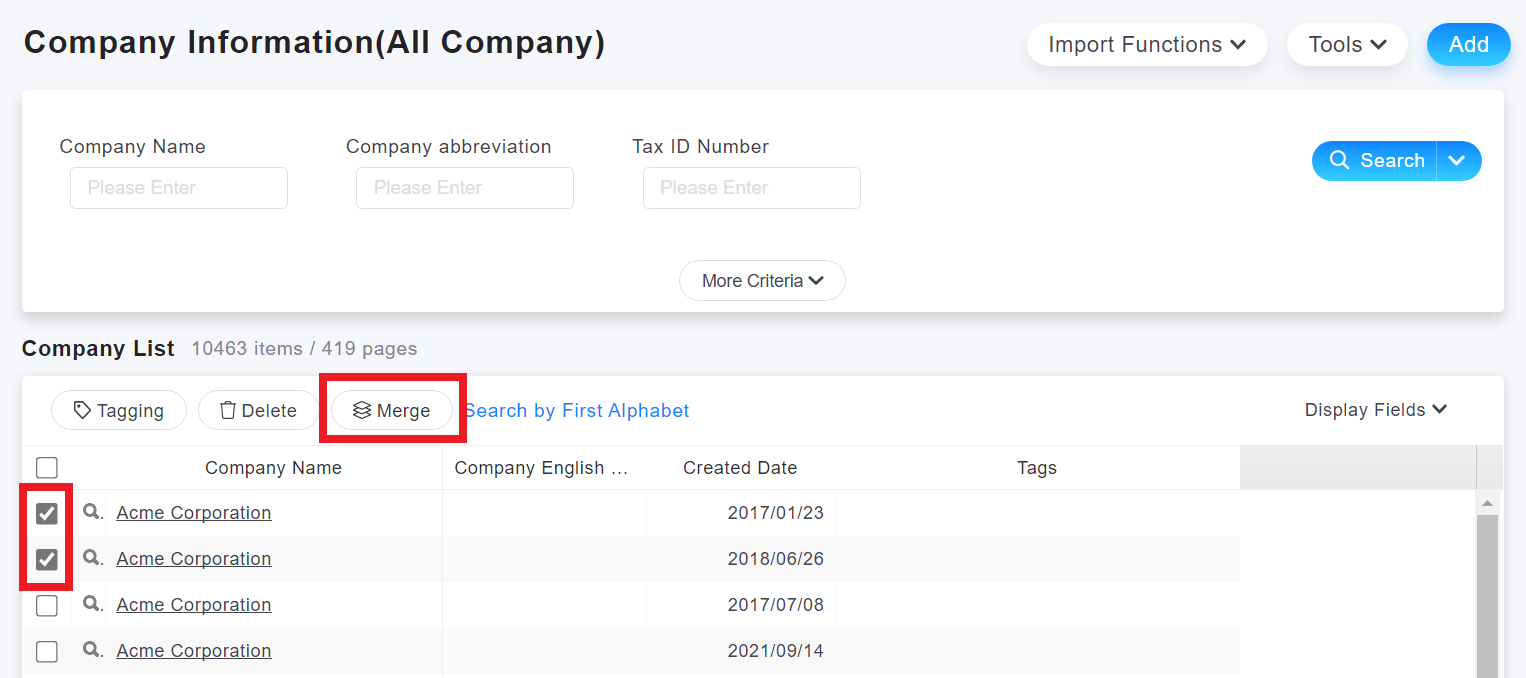
1. Go to the [Company] tab, tick the companies to be merged, and click [Merge].
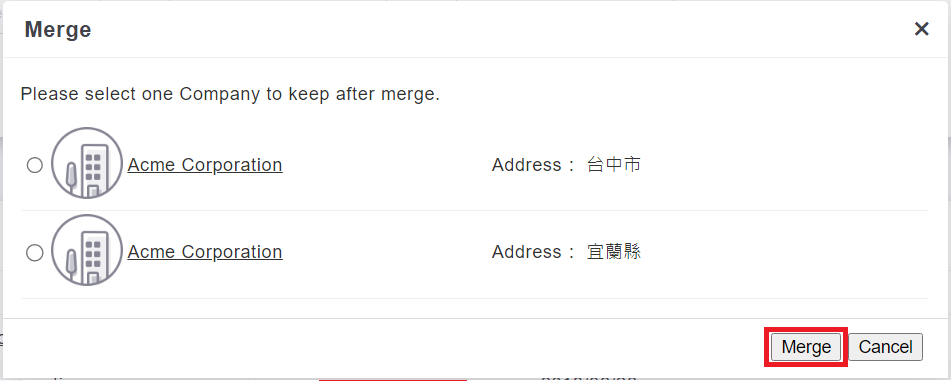
2. A window will pop up, asking you to select the company you want to keep after the merger. After you select, click [Merge].
來源連結:
https://support.vitalyun.com/en/?catid=28&id=5169%3Ahow-do-i-merge-company-data&view=article
More Content
2024 August
How to change the System Representative email account?
2024 August