目錄
Voucher input supports invoice information registration, and can be followed up by input and output Electronic Media files through filing process at the National Taxation Bureau.
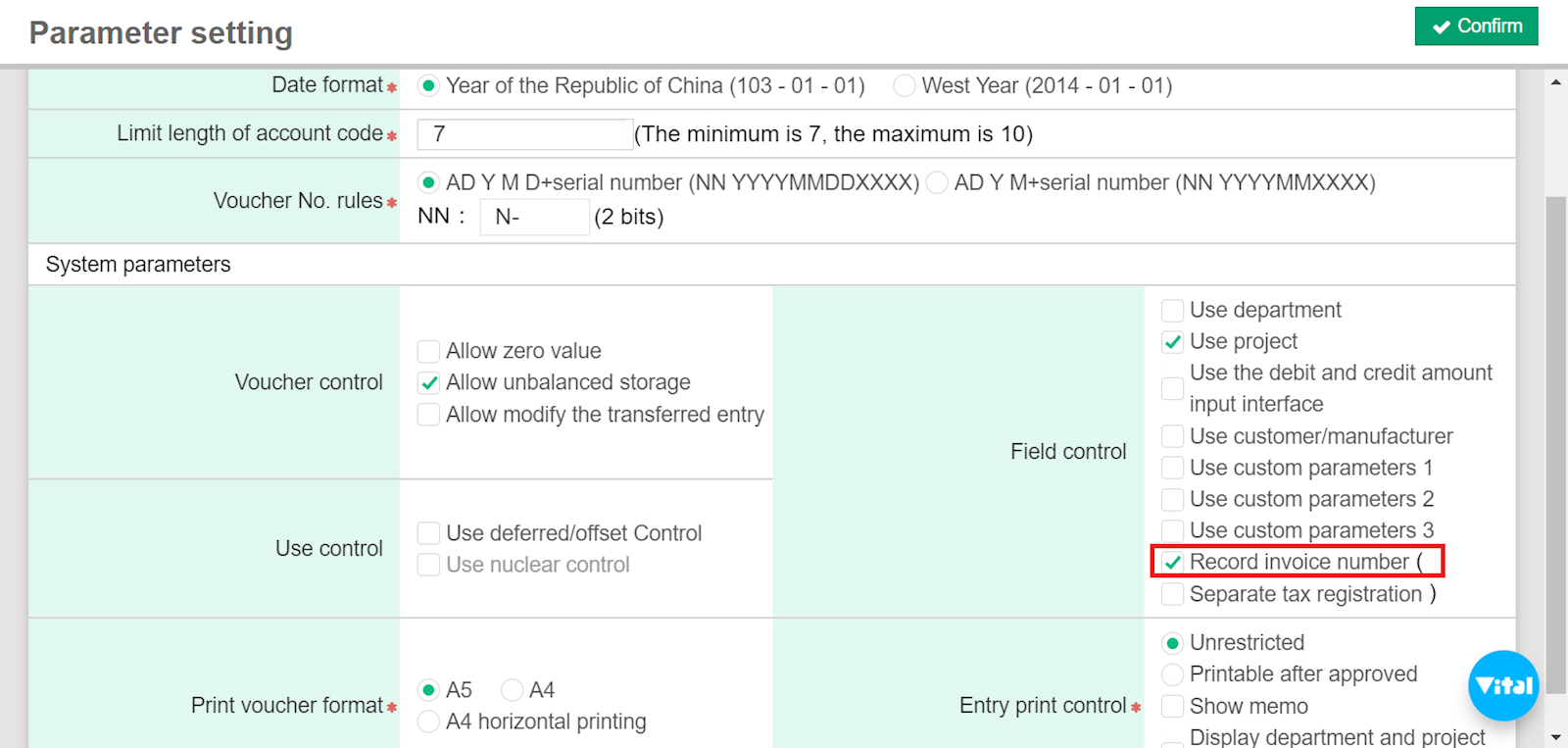
1. Go to [Maintenance] > [Parameter setting] > "Field control" column and check "Record invoice number."
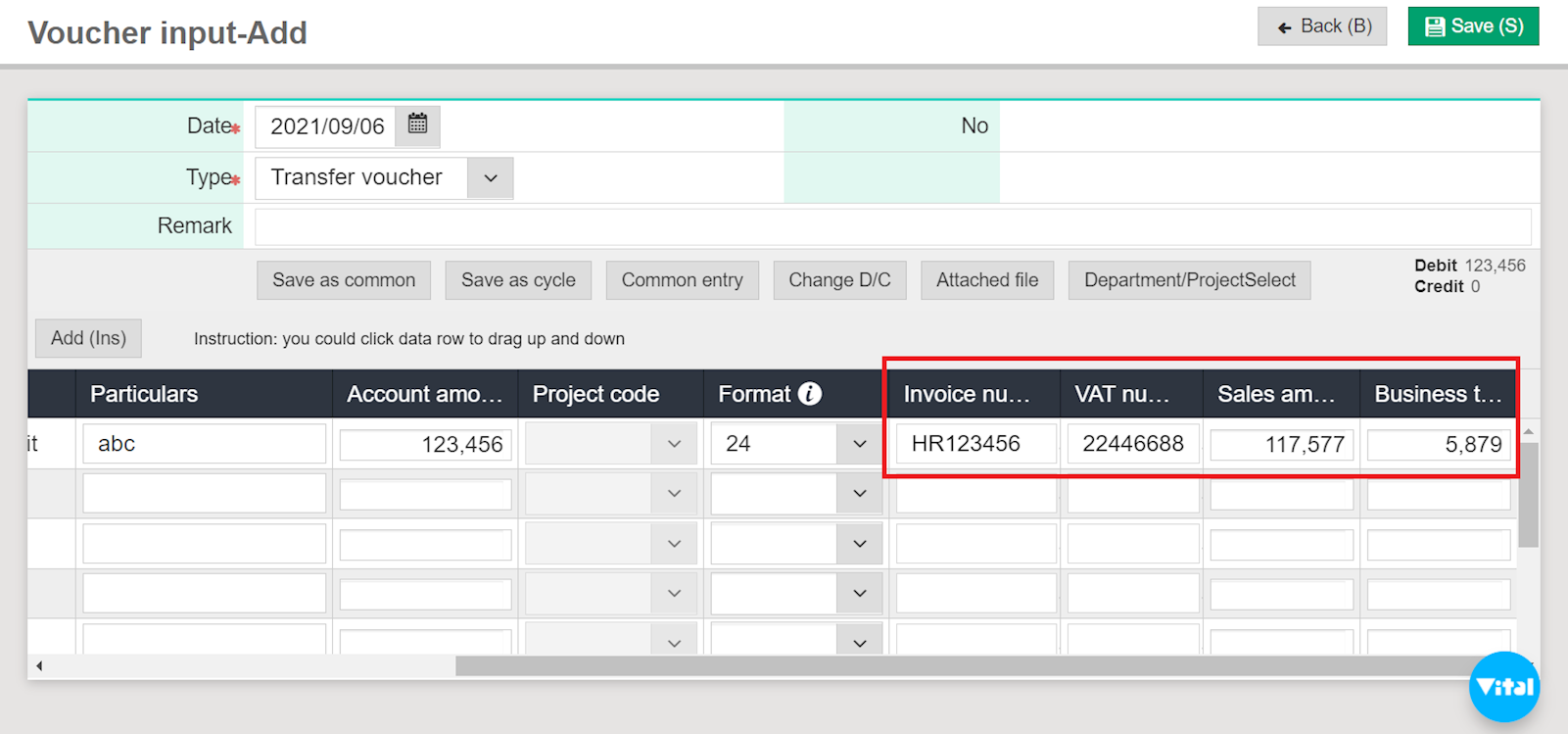
2. Then, go to [Daily work] > [Voucher input] to enter invoice number, VAT number, sales amount, and business tax.
來源連結:
https://support.vitalyun.com/en/?catid=28&id=5516%3Adoes-voucher-input-support-invoice-information-registration&view=article
More Content
2024 August
Accountant/agent role function restrictions in maintenance
2024 August