目錄
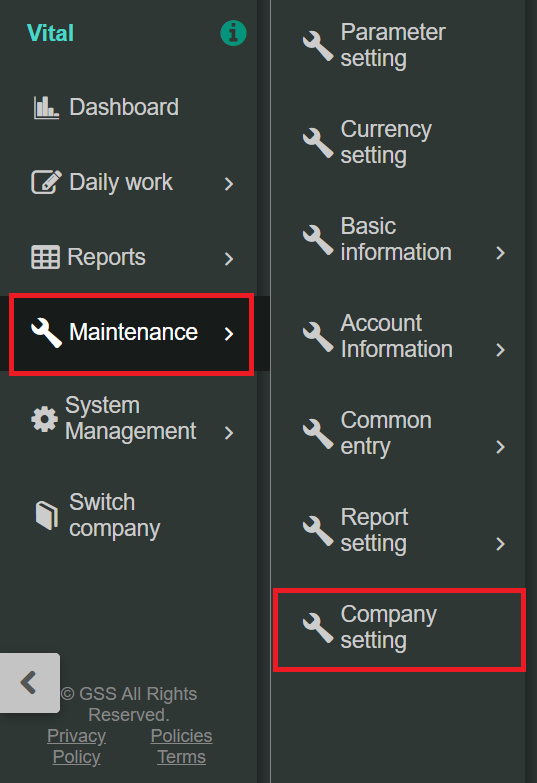
1. Go to [Maintenance] > [Company setting].
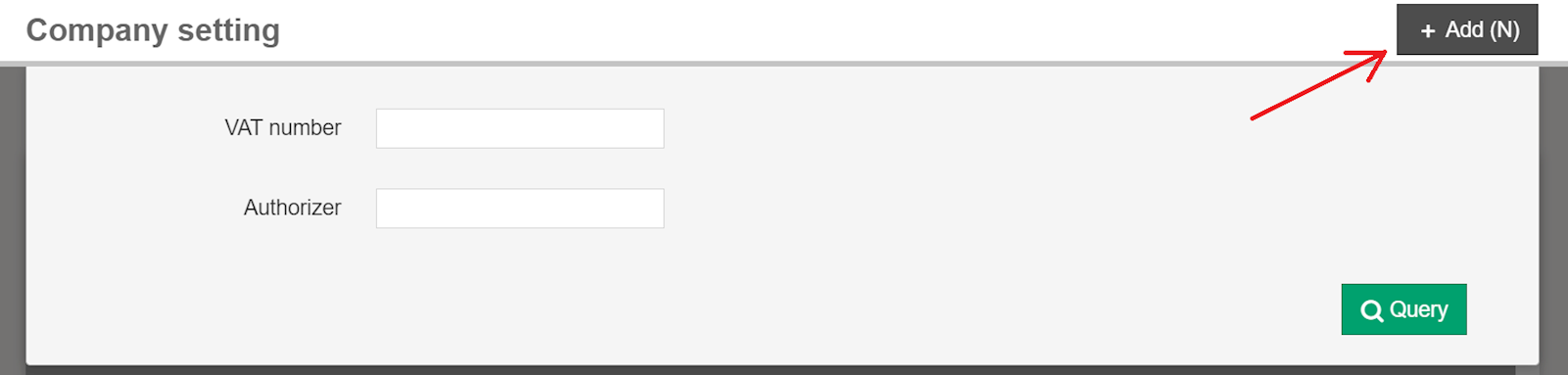
2. Select [+Add] in the top right corner.
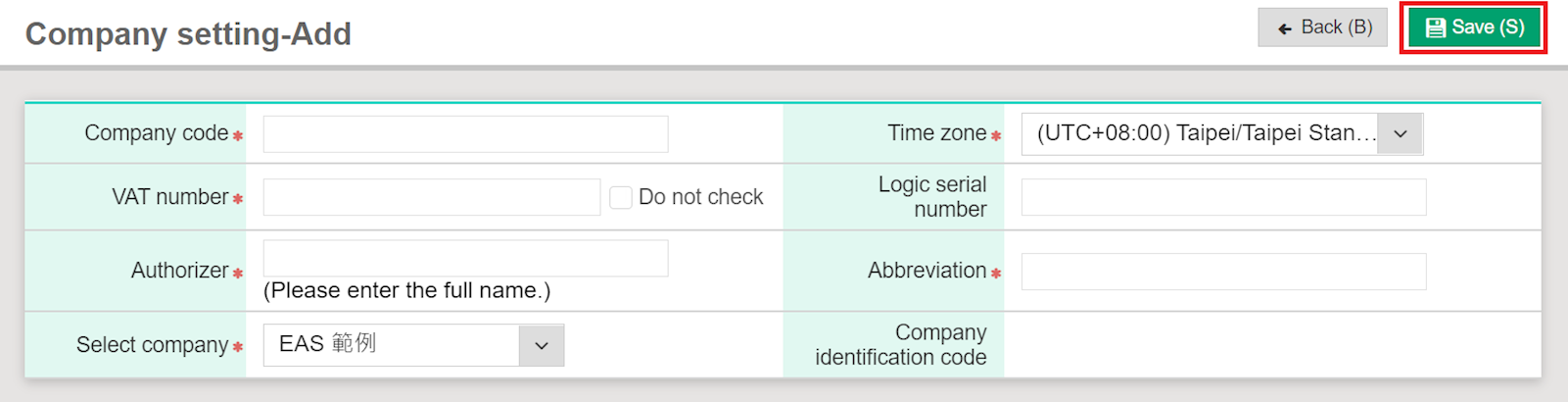
3. After entering the company information, click [Save].
來源連結:
https://support.vitalyun.com/en/?catid=28&id=5558%3Ahow-do-i-add-a-company-book&view=article
More Content
2024 August
Accountant/agent role function restrictions in maintenance
2024 August