目錄
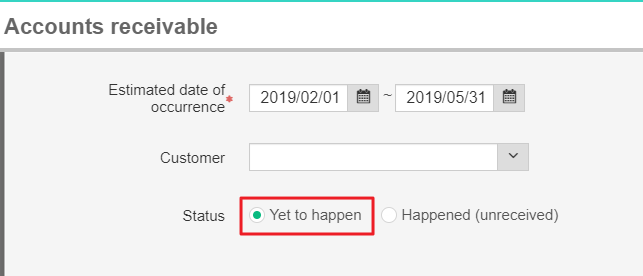
1. Please go to [Daily work>Accounts receivable>Accounts receivable]
After entering the page, please check [Yet to happen], and start to query.
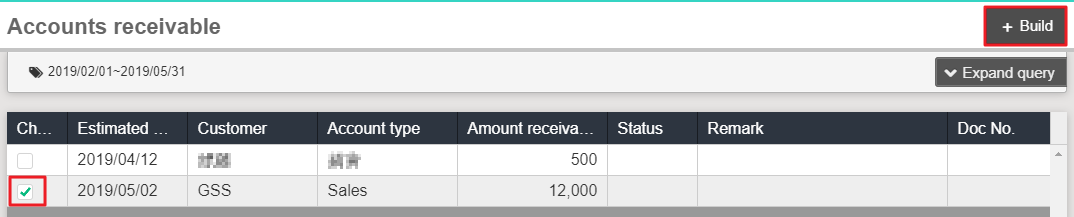
2. Please click the one you would like to deal with, and click [Build] on the top right.
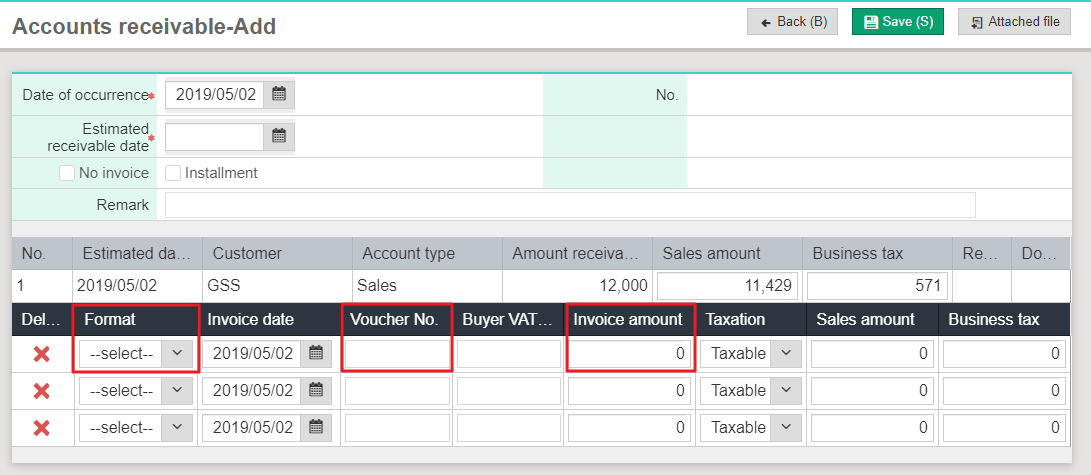
3. Start to create accounting journal entry. Invoice or not?
1) Invoice: Please select invoice format, voucher number, and invoice amount.
(Invoice amount must be the same as amount receivable.)
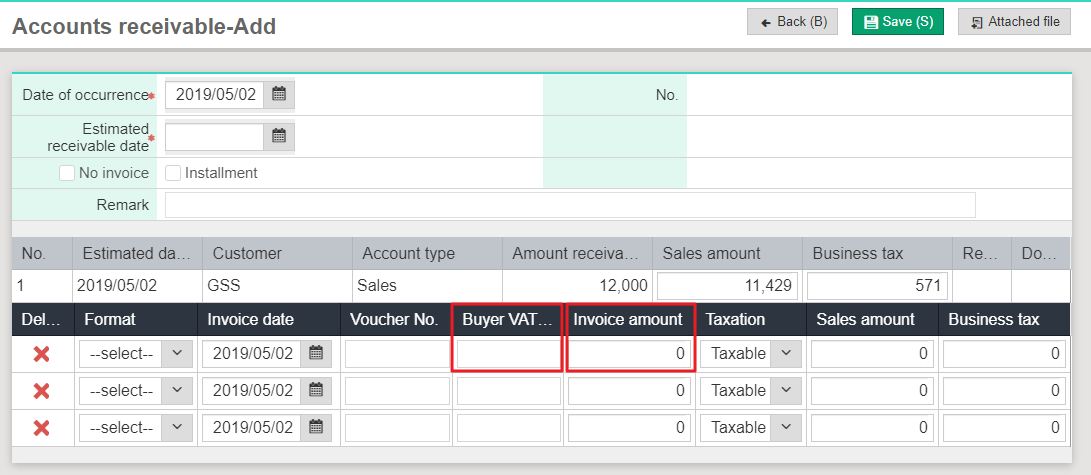
2) No invoice: No need to select invoice format.
Please key in other receipt number and invoice amount.
(Invoice amount must be the same as amount receivable.)
4. Make sure the information is correct, please click [Save].
來源連結:
https://support.vitalyun.com/en/?catid=28&id=5591%3Ahow-to-create-an-accounting-journal-entry&view=article
More Content
2024 August
Accountant/agent role function restrictions in maintenance
2024 August